
How to Choose the Best Game Controllers: A Comprehensive Guide
Upload time :August 21, 2023
Shares
Reads
If you are a gamer, choosing the right game controller can make all the difference in your gaming experience. This comprehensive guide on "How to Choose the Best Game Controllers" will help you navigate the important factors to consider before making a purchase. The first step is to identify the type of game controller needed, whether it be a joystick, gamepad, or racing wheel. Next, it's crucial to consider compatibility with your gaming platform. Evaluating ergonomics and comfort is also essential, as you want a controller that won't cause discomfort during long gaming sessions. It's also important to look for features such as vibration and wireless connectivity, which can enhance gameplay. Lastly, comparing prices and customer reviews can help you find the best value for your money. By following these steps, you'll be well on your way to finding the perfect game controller to suit your needs.
1. Identify the type of game controller needed
1. Identify the Type of Game Controller Needed
The first step in choosing the best game controller is to identify the type of controller you need. There are several types of game controllers available in the market, each with its own features and benefits. Some of the most popular game controllers include:
a) DualShock 4 Controller
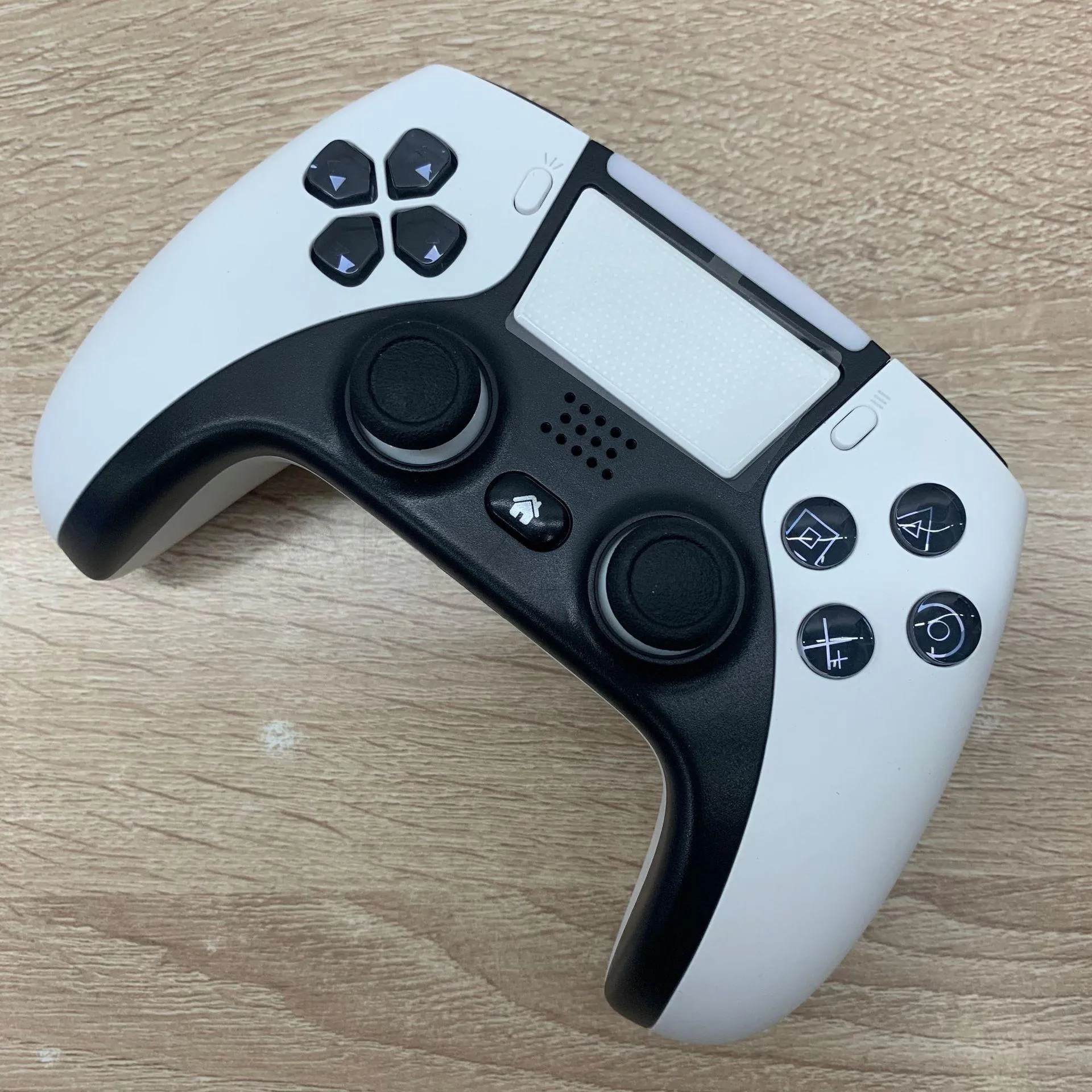
The DualShock 4 controller is designed specifically for PlayStation 4 consoles. It comes with an ergonomic design that makes it comfortable to use for long periods of time. The controller features a touchpad, which can be used for various functions such as navigation, swiping, and zooming. The controller also comes with a built-in speaker and microphone, which allows you to chat with other players during gameplay.
b) Xbox Wireless Controller
The Xbox Wireless Controller is designed for Xbox One and Windows 10 PCs. The controller comes with a textured grip that provides a comfortable and non-slip surface. The controller also features a 3.5mm stereo headset jack, which allows you to plug in any compatible headset and chat with other players during gameplay.
c) Nintendo Switch Pro Controller
The Nintendo Switch Pro Controller is designed for the Nintendo Switch console. It comes with a traditional button layout, which makes it easy to use for gamers who prefer a classic gaming experience. The controller also features motion controls, HD rumble, and Amiibo support.
d) Racing Wheels
For racing games, a racing wheel might be the best option. Racing wheels provide a more immersive experience, allowing you to feel like you are really driving a car. Racing wheels come in different styles and sizes, but generally, they feature pedals and force feedback technology that mimics the feeling of driving on different surfaces.
e) Fight Sticks
For fighting games, a fight stick might be the best option. Fight sticks come in different sizes and shapes, but generally, they feature arcade-style buttons and a joystick. They are designed to provide precision control and fast inputs, making them ideal for competitive play.
2. Consider Your Budget
Once you have identified the type of game controller you need, the next step is to consider your budget. Prices for game controllers vary depending on the brand, features, and quality. It's important to note that high-end controllers may come with additional features and better build quality, but they can also be expensive.
If you're on a tight budget, there are several affordable game controllers available in the market that offer decent performance. However, if you're looking for a high-end game controller with advanced features, be prepared to spend more.
3. Check Compatibility
Before buying a game controller, make sure it is compatible with your gaming device. Most game controllers are designed to work with specific consoles or devices, so it's important to check compatibility before making a purchase.
For example, if you're buying a controller for your PlayStation 4, make sure it is compatible with your console. Similarly, if you're buying a controller for your PC, make sure it is compatible with your operating system.
4. Look for Customization Options
Some game controllers come with customization options that allow you to tailor the controller to your preferences. For example, some controllers come with removable thumbsticks and D-pads, allowing you to replace them with different sizes and shapes.
Customization options can be especially useful for gamers who have specific preferences or hand sizes. So, if customization is important to you, look for controllers that offer this feature.
5. Read Reviews
Finally, before making a purchase, read reviews from other gamers who have used the controller. Reviews can provide valuable insights into the performance, comfort, and durability of the controller. They can also help you identify any potential issues or drawbacks before making a purchase.
2. Consider compatibility with gaming platform
Consoles
If you're playing on a console like the PlayStation 4 or Xbox One, your options for controllers will be limited to those made specifically for that console. However, within those limitations, there are still a lot of choices to make.
First of all, you'll need to decide whether you want a wired or wireless controller. Wired controllers have the advantage of being more reliable and having no lag, but they can be less convenient to use. Wireless controllers are much easier to use, but they can suffer from lag and interference.
Another consideration is the layout of the controller. Different controllers have different button configurations, and some people prefer certain layouts over others. If you've been using the same type of controller for years, it might be worth sticking with what you're familiar with. Otherwise, you might want to experiment with different layouts to see what feels comfortable.
Finally, you'll want to consider any special features the controller offers. Some controllers have extra buttons or paddles that can be programmed for specific functions. Others offer customizable sensitivity settings, which can be helpful for games that require precise control.
PC
If you're playing games on a PC, you'll have a lot more options when it comes to controllers. You can use virtually any controller made for consoles, as well as many specialized PC controllers.
One thing to keep in mind is that not all PC games are compatible with all controllers. Some games only work with specific controllers, while others have limited support for certain types of controllers. Before you buy a controller, make sure it's compatible with the games you want to play.
In addition to compatibility, you'll want to consider the same factors as you would for a console controller: wired vs. wireless, layout, and special features. However, you may also want to consider the size and shape of the controller. PC gamers tend to prefer smaller, more compact controllers that are easy to use with a keyboard and mouse.
Mobile
If you're playing games on a mobile device like a smartphone or tablet, you'll need a controller that's specifically designed for mobile gaming. These controllers are usually small and portable, with a built-in clip that holds your device in place. They connect to your device via Bluetooth, and many can also be used with PCs and consoles.
When choosing a mobile controller, you'll want to consider the same factors as you would for other types of controllers: wired vs. wireless, layout, and special features. You may also want to look for a controller that has a rechargeable battery, as mobile gaming can be quite draining on your device's battery.
Conclusion
3. Evaluate ergonomics and comfort
What are ergonomics?
Ergonomics refers to designing or arranging products, systems, or processes in such a way that they fit the needs of the user. In simpler terms, ergonomics deals with how comfortable and efficient a product is in its use. When it comes to game controllers, ergonomics means designing the controller in a way that feels natural and easy to use for extended periods without causing any discomfort or strain.
Why are ergonomics important in game controllers?
Ergonomics plays a vital role in game controllers as it ensures that the controller is designed to fit the user's hands perfectly. A controller with good ergonomics will provide excellent grip, comfort, and control during gameplay, making it easier for the user to carry out complex commands and movements needed in some games. Additionally, a well-designed controller helps prevent fatigue, hand cramps, and other repetitive strain injuries associated with using a controller for extended periods.
What to look for in an ergonomic game controller?
1. Size and Shape
When it comes to ergonomics, the size and shape of the controller are critical factors to consider. Your hands should feel comfortable and relaxed when holding the controller. The size and shape of the controller should be such that your fingers can reach all the buttons comfortably without straining or stretching. Some controllers feature unique shapes and designs that might not be suitable for everyone. Therefore, it's essential to choose a controller that fits your hand size and shape comfortably.
2. Button Placement
Buttons placement and layout also play a crucial role in ergonomics. The buttons should be located in a position that allows for easy access and reduces the need for unnecessary finger movement. This eliminates the possibility of accidentally pressing the wrong button, which can disrupt gameplay and lead to frustration. Ideally, the buttons should be positioned in places that feel natural and comfortable to press.
3. Grip
Having a good grip on the controller is essential for maintaining control during gameplay. Ergonomic controllers feature textured surfaces, rubberized grips, and other design elements that improve grip. Without proper grip, your hand might slip off the controller during intense gameplay, leading to mistakes and ultimately affecting your overall performance.
4. Weight
The weight of a controller also affects its ergonomics. Too heavy a controller can cause fatigue and strain, while too light a controller might not feel substantial enough to provide stability. The ideal weight of a controller depends on personal preference, but generally, a well-balanced controller with a weight between 250-400 grams is recommended.
5. Comfort
Comfort is the most crucial aspect of ergonomics. A comfortable controller should be easy on the hands and allow for extended gameplay sessions without causing any discomfort. Controllers with soft-touch materials, cushioned grips, and contoured shapes offer maximum comfort and reduce strain on your hands.
Conclusion
4. Look for features such as vibration and wireless connectivity
1. Compatibility
When shopping for a game controller, it's important to check its compatibility with your gaming system. Some controllers are specifically designed for particular consoles, such as Xbox or PlayStation. Others are compatible with multiple platforms, such as PC, Mac, and Android devices. Be sure to check the compatibility of the controller before purchasing it.
2. Ergonomics
Ergonomics plays a crucial role in choosing a game controller. The controller should fit comfortably in your hands and have easy-to-reach buttons. It should also have a solid grip to prevent slipping during intense gaming sessions. One of the most popular types of ergonomic controllers is the Xbox Elite Wireless Controller Series 2, which has adjustable thumbsticks and paddles.
3. Wired vs. Wireless Connectivity
Wired controllers tend to have less input lag than wireless controllers, but they can limit your movement and range. Wireless controllers, on the other hand, allow you to move freely without wires getting in the way but may have some connection issues. When choosing between wired and wireless controllers, consider your gaming setup and preferences.
4. Vibration
Vibration feedback is a feature that helps immerse you in your games by providing sensory feedback when certain events occur within the game. It can help you feel the impact of explosions, gunfire, and other in-game actions. Most modern game controllers include vibration feedback, but be sure to check if the controller you're interested in does.
5. Button Mapping
Button mapping allows you to reprogram the buttons on your controller to perform specific commands or actions. This functionality is especially handy for gamers who prefer a more personalized gaming experience. The Xbox Adaptive Controller is an excellent example of a controller with extensive button remapping capabilities.
6. Trigger Sensitivity
Trigger sensitivity refers to how much pressure is required to activate the triggers on your controller fully. Having adjustable trigger sensitivity can help improve your aim and precision in shooting games. The Razer Wolverine Ultimate is a great example of a controller that has adjustable trigger sensitivity.
7. Motion Controls
Motion controls allow you to control in-game actions by moving the controller itself. This feature is common in Nintendo Switch Joy-Cons and PlayStation Move Controllers. While not all games support motion controls, they can add new dimensions to certain genres like racing and sports games.
8. Price
The price of a game controller can vary depending on its features and quality. High-end controllers tend to be more expensive because they come with advanced features like customization options, better ergonomics, and superior build quality. However, there are affordable options that still offer decent performance and functionality.
5. Compare prices and customer reviews.
So, how do you compare prices and customer reviews to make an informed decision? Here are some tips.
1. Research Your Options
Before you can start comparing prices and reviews, you need to decide what type of controller you want. There are a variety of options available for different consoles, including:
- Standard controllers: These are the controllers that come with your console and usually have a symmetrical design with two analog sticks, a D-pad, and various buttons and triggers.
- Specialized controllers: These controllers often have unique designs or features that cater to specific types of games or gamers. For example, fighting game controllers may have extra buttons for combos, while racing game controllers may have a steering wheel and pedals.
- Third-party controllers: These are controllers made by companies other than the console manufacturer. They may be cheaper or have additional features, but they may also be less reliable.
Once you've decided on a type of controller, research your options within that category. Look at different brands, models, and prices to get an idea of what's available.
2. Set a Budget
Before you start comparing prices, it's important to set a budget for yourself. This will help you narrow down your options and prevent you from overspending. Consider how much you're willing to spend on a controller and stick to that budget as you compare prices.
Remember, just because a controller is more expensive doesn't necessarily mean it's better. You may be able to find a cheaper controller that meets your needs just as well.
3. Check Multiple Retailers
Once you know what type of controller you want and how much you're willing to spend, start checking prices at different retailers. Don't just look at the manufacturer's website - check online marketplaces like Amazon, electronics stores like Best Buy, and even discount retailers like Walmart.
Keep in mind that prices can vary widely between retailers, so it pays to shop around. You may be able to find a better deal on a controller if you're willing to do some research.
4. Read Customer Reviews
As you compare prices, don't forget to read customer reviews for the controllers you're considering. Reviews can give you important insight into the quality, durability, and comfort of a controller.
Look for reviews from people who have used the controller for a while. They'll be able to give you a better idea of how well the controller holds up over time. Also, pay attention to any recurring issues that multiple reviewers mention, such as connectivity problems or button malfunctions.
5. Consider the Warranty
Finally, as you compare prices and reviews, don't forget to consider the warranty for the controller. A good warranty can protect you if the controller breaks or malfunctions, so make sure you understand the terms and conditions.
Some manufacturers offer longer warranties than others, and some warranties may only cover certain types of damage. Make sure you read the fine print before making a purchase, so you know exactly what you're getting.
In conclusion, when it comes to choosing the best game controller, price and customer reviews are important factors to consider. By doing your research, setting a budget, checking multiple retailers, reading customer reviews, and considering the warranty, you can make an informed decision and find a controller that meets your needs without breaking the bank.
 Buy NowSee More: Wholesale Products
