
Upgrade Your Mobile Gaming Experience with These Top-Rated Game Controllers
Upload time :January 8, 2024
Shares
Reads
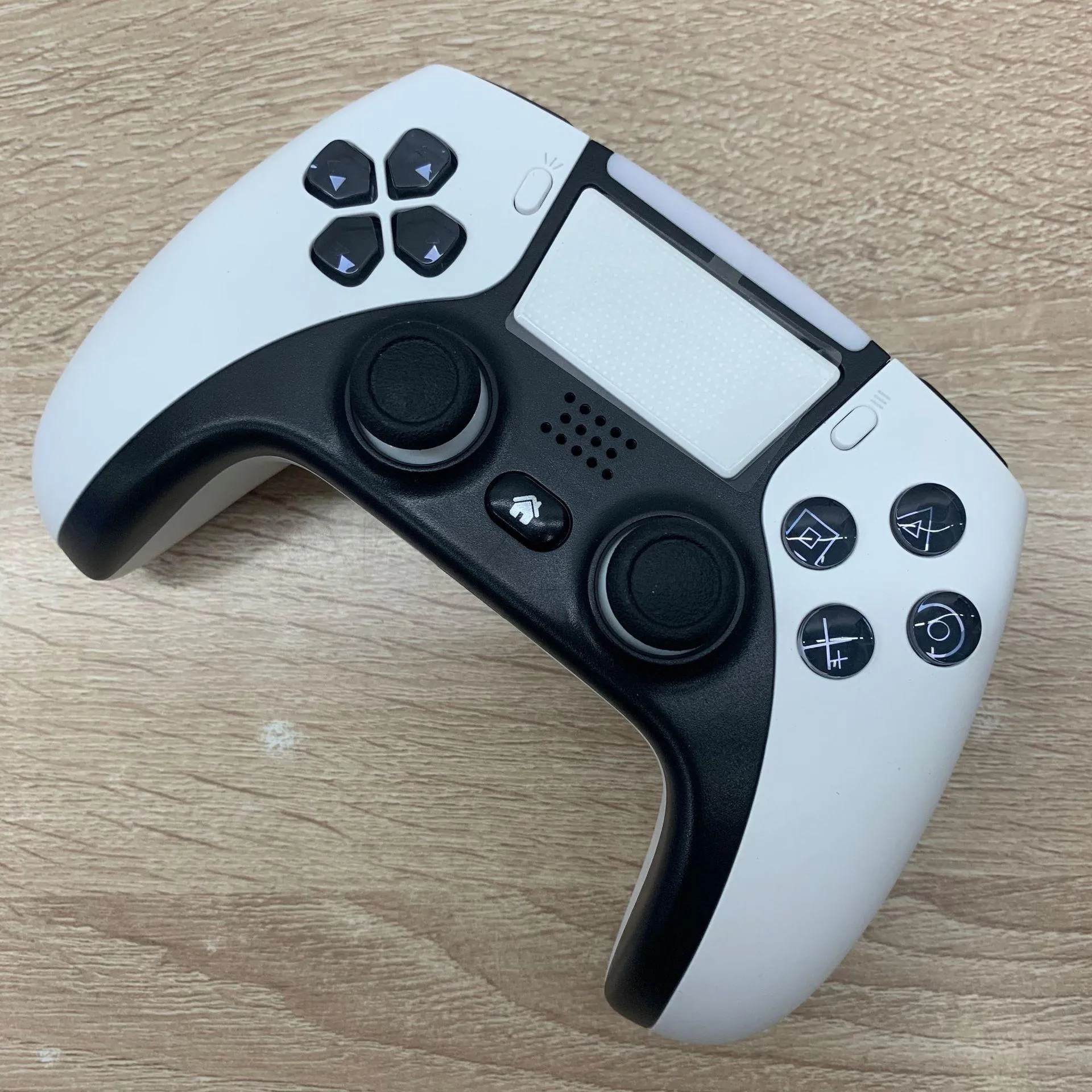
If you're a mobile gamer, using a game controller can enhance your gameplay experience. To help you find the best controller for your needs, we've compiled a list of top-rated game controllers on the market, including wireless, clip-on, and those with triggers and buttons. However, it's essential to check compatibility before purchasing to avoid disappointments. Tips on how to make sure your controller is compatible with your smartphone or tablet are included. Finally, we discuss the benefits of using a game controller while playing mobile games such as improved gameplay, reduced finger strain, and enjoying the game more. A good game controller can take your mobile gaming experience to the next level!
Top-Rated Game Controllers
Firstly, let us talk about the wireless game controllers. These controllers are known for their ease of use and convenience. They connect with the device using Bluetooth technology, and you can use them without any cables or wires. One of the most popular wireless game controllers is the SteelSeries Stratus Duo Wireless Gaming Controller. This controller has a compact design with ergonomic grips and comes with two joysticks, triggers, and buttons. It is compatible with Windows, Android, and VR devices.
Next up, we have clip-on game controllers that attach directly to the smartphone. These controllers are portable and easy to carry around. A popular example of this type is the BEBONCOOL Mobile Game Controller. It quickly attaches to your phone and has a comfortable grip that does not strain your hands. It also has a turbo button that allows you to set a specific action to repeat multiple times automatically.
Moving on, we have controllers with triggers and buttons that provide a realistic gaming experience. The Razer Raiju Mobile Gaming Controller is an example of such a controller. It has a unique design that allows you to customize the triggers and buttons according to your liking. The controller also has a mobile app that lets you manage and create profiles for different games.
Finally, we have controllers with various features that cater to specific needs. The MOGA XP5-A Plus Bluetooth Controller is a versatile controller. It has a multi-angle adjustable phone clip and a built-in power bank that charges your phone while you play. The controller also has Xbox Game Pass compatibility, which provides access to hundreds of popular games.
Compatibility
Compatibility is crucial when it comes to buying a mobile game controller. Not all game controllers are compatible with every smartphone or tablet, so it is essential to check before making a purchase. If you do not verify compatibility, you may end up wasting your money on a controller that does not work with your device.
To ensure compatibility, check the game controller's website or packaging for a list of compatible devices. Usually, it will have a list of supported operating systems and devices, so make sure your smartphone or tablet is on the list. You can also search online forums or reviews to see if other users have successfully used the controller with your device.
Another important factor to consider is the type of connection your controller uses. Some controllers use Bluetooth to connect wirelessly to your device, while others require a wired connection through USB or a specialized port. Make sure your device has the necessary port or supports the correct wireless connection method.
It is also important to consider the size and compatibility of your phone case. Some controllers may not fit over a case, which means you will need to remove it each time you want to use the controller. Others may have adjustable grips that accommodate different sizes and cases.
Benefits of Using a Game Controller
One of the main advantages of using a game controller is improved gameplay. Touchscreens can be finicky and imprecise, leading to frustrating moments when trying to execute specific actions in-game. With a game controller, players have more control over their movements and actions, resulting in smoother gameplay and fewer mistakes.
Another benefit of using a game controller is reduced finger strain. Playing mobile games for extended periods using only a touchscreen can cause discomfort and even pain in the fingers and hands. A game controller, however, spreads out the physical strain among both hands, reducing the potential for repetitive stress injuries.
Furthermore, using a game controller can make mobile gaming more enjoyable overall. With its tactile buttons and joysticks, a game controller provides a more immersive experience that feels closer to console gaming. This increased immersion can lead to more extended play sessions, as players become more invested in the game they're playing.
In addition to these primary benefits, there are also other advantages to using a game controller while playing mobile games. For example, some games may offer exclusive content or features for those playing with a controller, giving players an added incentive to make the switch.
When choosing a game controller for mobile gaming, there are several factors to consider. First and foremost is compatibility – not all game controllers will work with every mobile device. It's essential to research which controllers are compatible with your specific device before making a purchase.
Other considerations include the size and weight of the controller, particularly if it will be used for extended periods. Wireless connectivity options such as Bluetooth may also be desired for convenience and ease of use.
In conclusion, using a game controller while playing mobile games can provide several benefits that improve gameplay, reduce finger strain, and make the overall experience more enjoyable. With a wide range of controllers available on the market, mobile gamers should consider making the investment for a more immersive and comfortable gaming experience.
FAQ
Q: Can I use a mobile game controller with any smartphone or tablet?
A: Most mobile game controllers are designed to work with both iOS and Android devices. However, it's important to check the compatibility of your specific device before purchasing a controller. Some controllers may require a Bluetooth connection or a specific operating system version to function properly.
Q: How do I connect my mobile game controller to my device?
A: The process to connect a controller to your device may vary depending on the brand and model. Many controllers use Bluetooth technology to connect to your device. To pair your controller, simply turn on Bluetooth on your mobile device and follow the instructions provided by the manufacturer. Some controllers may also require you to download a companion app.
Q: Are mobile game controllers ergonomic for long gaming sessions?
A: Yes, many mobile game controllers are designed with ergonomics in mind. They often feature comfortable grips and button placement that minimize hand fatigue during extended gaming sessions. However, it's important to choose a controller that feels comfortable in your hands and suits your preferred grip style.
Q: Do I need a mobile game controller to play mobile games?
A: No, mobile games are designed to be played with touch controls, and many games don't support controllers at all. However, playing with a controller can provide a more immersive and precise gaming experience for certain types of games, such as racing or action games. Ultimately, whether or not you need a game controller depends on your personal preferences and the types of games you enjoy playing.
Buy Now
See More: Wholesale Products
Recommended related content
Upgrade Your Sleeping Experience with These Easy-to-Use Zippered Pillow Cases
Unleash Your Inner Rebel with These Top 5 Biker Rings
Upgrade Your Sewing Game with the Latest Sewing Machines
Protect Your Phone and Stay Stylish with These Top-rated Crossbody Phone Cases
Upgrade Your Pool Game with These Must-Have Adult Swimming Floats
