
What are Joy-Cons and How Do They Work? A Comprehensive Guide
Upload time :December 19, 2023
Shares
Reads
Joy-Cons are the detachable controllers of Nintendo's Switch console that allow players to experience different gameplay modes. This comprehensive guide will give an introduction to Joy-Cons, their features and functions, and how to connect them to a Nintendo Switch. Firstly, Joy-Cons come in a pair, one for the left and the other for the right hand, equipped with motion controls, HD rumble feedback, and an IR camera. They can be attached to the sides of the Switch console or used separately as individual controllers. Secondly, there are multiple ways to connect Joy-Cons to a Nintendo Switch, such as wireless pairing, sliding them onto the console, or using a Joy-Con charging grip. Lastly, common issues that might arise with Joy-Cons, such as drift, desyncing, or connectivity problems, can be fixed by recalibrating them, updating the Switch firmware, or contacting customer support.
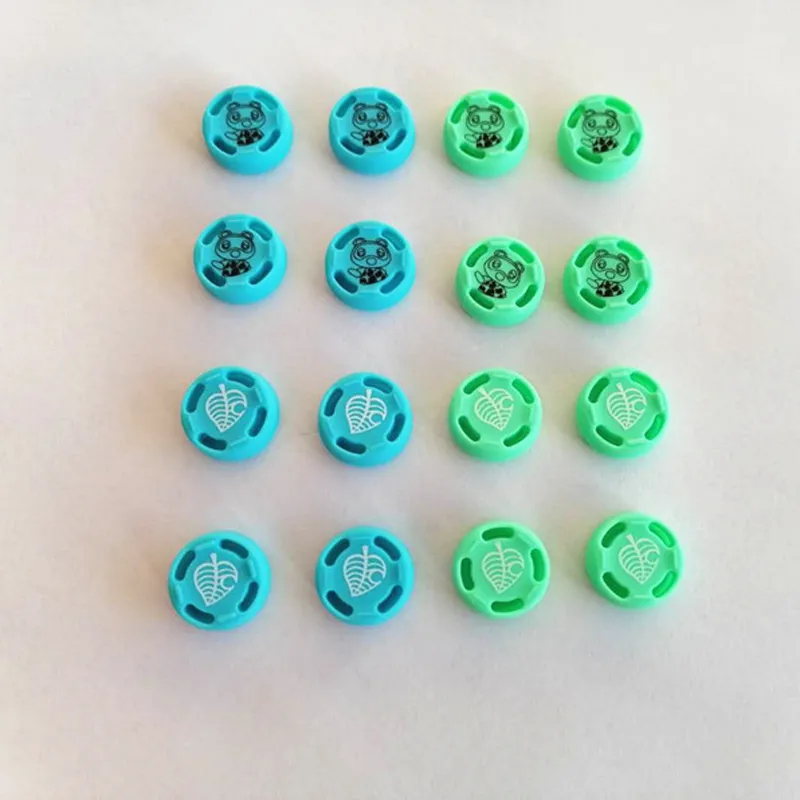
Buy Now
See More: Wholesale Products
1. Introduction to Joy-Cons
Joy-Cons are the detachable controllers that come with the Nintendo Switch console. They are essentially two halves of a controller that can be used together, separately, or attached to the console for handheld play.
The Joy-Cons have a variety of features that make them unique and versatile. Each Joy-Con has an analog stick, four face buttons, two shoulder buttons, and a plus or minus button. Additionally, they each have a motion sensor, a gyro sensor, and an accelerometer. These sensors allow for precise motion control and can even detect how far away the Joy-Con is from the console.
One of the most notable features of the Joy-Cons is their ability to be used independently from one another. This allows for multiplayer games without the need for purchasing additional controllers. The Joy-Cons can also be held sideways for simple gameplay with just one hand.
When the Joy-Cons are attached to the console, they can be used as traditional controllers for TV mode. However, they also have the ability to be detached from the console and used for tabletop mode, where the console can be propped up using the built-in kickstand and the Joy-Cons can be used wirelessly.
The Joy-Cons also have an infrared camera on the bottom of the right Joy-Con. This camera can detect distance, shape, and movement of objects in front of it. It can be used in specific games, such as "1-2-Switch," where players must use the camera to mimic certain actions.
Another unique feature of the Joy-Cons is their HD Rumble technology. This creates a sense of touch through vibration by varying the intensity and duration of the vibrations. This allows for more immersive gameplay, as players can feel the difference between different movements or textures within the game.
Each Joy-Con has its own battery life, and they can be charged by attaching them to the console when it is not being used in handheld mode. It takes approximately 3.5 hours to fully charge both Joy-Cons.
Overall, the Joy-Cons are a versatile and unique controller option for the Nintendo Switch console. With their various sensors, detachability, and HD Rumble technology, they provide a new level of immersion and gameplay experience for players.
2. Features and functions of Joy-Cons
Joy-Cons are an essential accessory for Nintendo Switch gamers. They are small, wireless controllers that allow players to enjoy their favorite games with ease and comfort. In this article, we will provide a comprehensive guide on what Joy-Cons are, how they work, and the features and functions of these innovative controllers.
What are Joy-Cons?
Joy-Cons are the detachable controllers that come with the Nintendo Switch gaming console. They are designed to be used as two separate controllers or combined together to form a single controller. Each Joy-Con has a joystick, face buttons, shoulder buttons, and motion sensors that allow for immersive gameplay experiences.
How Do Joy-Cons Work?
Joy-Cons use Bluetooth technology to connect to the Nintendo Switch console wirelessly. The controllers have built-in batteries that can be recharged using the included charging grip or by attaching them to the console. The Joy-Cons also feature an accelerometer and gyroscope, which allow for precise motion controls and enable functionalities such as HD Rumble and tilt-based aiming.
Features and Functions of Joy-Cons
1. HD Rumble
One of the most significant features of Joy-Cons is HD Rumble. This technology provides realistic vibrations that simulate different sensations. It allows players to feel the impact of in-game actions such as explosions, collisions, and even rainfall. The level of vibration can also vary depending on the situation, adding to the overall immersion and experience of the game.
2. Motion Controls
Another important feature of Joy-Cons is motion controls. The controllers have an accelerometer and gyroscope that allow for precise motion tracking. This enables players to perform a variety of movements such as tilting and shaking the Joy-Cons to control their character or aim their weapon.
The motion controls also make games more accessible as some titles, such as fitness games, require physical movement to play. Players can also use the Joy-Cons to navigate menus and select options on the console's interface, making it easier to interact with the system.
3. IR Motion Camera
The right Joy-Con has an IR motion camera that can detect objects and hand gestures. This feature adds to the interactivity of certain games, such as 1-2-Switch, where players compete in mini-games based on hand gestures. The IR camera can also be used to scan amiibos, NFC-enabled figures that unlock additional content in certain games.
4. Multiplayer Gaming
One of the standout features of Joy-Cons is their versatility in multiplayer gaming. Since each Joy-Con can function as an individual controller, two players can enjoy local multiplayer games without needing to purchase additional controllers. This makes it easy and affordable to host impromptu gaming sessions with friends and family.
5. Different Color Options
Joy-Cons come in a range of colors, allowing players to choose the color scheme that suits their personality or gaming setup. The standard colors are Neon Blue and Neon Red, but other options include Gray, Neon Yellow, Neon Green, and Purple/Orange. Limited edition Joy-Con designs are also available for specific games or events.
6. Customizable Buttons
Finally, Joy-Cons offer customization options that can enhance gameplay and accessibility. Players can remap buttons and adjust sensitivity settings to suit their preferences. This feature is particularly useful for players who have disabilities or mobility issues, as they can customize the controls to better suit their needs.
Conclusion
In summary, Joy-Cons are essential accessories for Nintendo Switch gamers. They offer a range of features and functions that enhance the gaming experience, including HD Rumble, motion controls, IR motion camera, multiplayer capabilities, customizable buttons, and more. With a range of color options and limited edition designs available, there's a Joy-Con for every type of gamer.
3. Connecting Joy-Cons to a Nintendo Switch
The Joy-Con controllers are a key component of the Nintendo Switch console, providing players with a truly immersive gaming experience. These small, versatile controllers can be used in a variety of ways to enhance gameplay and give you a more interactive experience.
Connecting Joy-Cons to a Nintendo Switch is easy, and can be done in just a few simple steps. In this comprehensive guide, we'll walk you through the process of connecting your Joy-Con controllers to your Nintendo Switch and help you get started on your gaming journey.
Step 1: Turn on your Nintendo Switch
To begin the process of connecting your Joy-Con controllers to your Nintendo Switch, you will first need to turn on your console. To do this, press the power button located on the top left-hand side of the console. Once you've turned on your Nintendo Switch, you will be taken to the home screen, where you can select the game or app you want to use.
Step 2: Detach the Joy-Con controllers
The next step is to detach the Joy-Con controllers from the sides of the Nintendo Switch console. Hold the release buttons located on the back of the Joy-Con controllers and slide them up and off the console. You will hear a click sound once they are detached, indicating that they are ready to be used.
Step 3: Pair your Joy-Con controllers
To pair your Joy-Con controllers with your Nintendo Switch, simply slide them into the corresponding slots on either side of the console. The left Joy-Con should be inserted into the slot with the minus sign (-) while the right Joy-Con should be inserted into the slot with the plus sign (+).
Once you have inserted your Joy-Con controllers into the console, hold down the small black button located on the side of each controller until the lights start flashing. This indicates that the controllers are searching for a connection.
Step 4: Connect your Joy-Con controllers to your Nintendo Switch
To complete the pairing process, simply press the A button on the right Joy-Con controller. This will connect the controllers to your Nintendo Switch console, allowing you to play your favorite games using the Joy-Cons.
If you're having trouble connecting your Joy-Con controllers to your Nintendo Switch, there are several things you can try. First, make sure that both Joy-Con controllers are fully charged and that they are within range of the console. If you're still having trouble, you can try resetting the Joy-Con controllers by holding down the small black button on the side of each controller for at least five seconds.
In conclusion, connecting your Joy-Con controllers to your Nintendo Switch is a quick and easy process that can be done in just a few simple steps. By following these instructions, you'll be able to enjoy all of the features and functionality that the Joy-Cons have to offer, including motion controls, HD rumble, and more. So go ahead and detach your Joy-Con controllers from your Nintendo Switch, pair them up, and start playing your favorite games today!
4. Troubleshooting common Joy-Con issues
Joy-Cons are the detachable controllers that come with the Nintendo Switch gaming console. They offer a variety of features and can be used as standalone controllers or combined to form one larger controller.
While Joy-Cons are generally reliable and easy to use, they can occasionally encounter issues. Here are some common Joy-Con issues and how to troubleshoot them:
Issue #1: Joy-Con drift
Joy-Con drift is a common issue where the joystick on a Joy-Con moves on its own, even when the user isn't touching it. This can make games difficult or impossible to play.
Solution: Nintendo has acknowledged this issue and offers a free repair service for affected Joy-Cons. You can contact their customer support to initiate a repair.
If you're comfortable with opening up your Joy-Con, you can try cleaning the joystick to see if that resolves the issue. First, remove the Joy-Con from the Switch console. Next, remove the joystick by gently prying it off with a flathead screwdriver. Clean the metal contacts underneath the joystick with rubbing alcohol and a cotton swab. Finally, reattach the joystick and test it to see if the drift has been resolved.
Issue #2: Connectivity issues
Sometimes a Joy-Con may have trouble connecting to the Switch console, or it may disconnect during gameplay.
Solution: Make sure both the Joy-Con and the Switch console are fully charged. If the Joy-Con isn't connecting at all, try resetting it by pressing and holding the sync button (located on the side of the Joy-Con) until the lights flash.
If the Joy-Con keeps disconnecting during gameplay, check for interference from other wireless devices in the area. Move the console and Joy-Con away from other electronics, such as Wi-Fi routers, to improve connectivity.
Issue #3: Joy-Con won't charge
Occasionally, a Joy-Con may stop charging properly.
Solution: Check to make sure the Joy-Con is properly connected to the console while it's charging. The charging port is located on the side of the Joy-Con, next to the buttons. If it's not plugged in correctly, the Joy-Con won't charge.
If the Joy-Con still won't charge, try using a different charging cable or a different USB charging port. There may be an issue with the cable or port that's preventing the Joy-Con from charging.
Issue #4: Buttons don't respond
If the buttons on a Joy-Con aren't responding, it can be frustrating to play games that require quick reflexes.
Solution: First, make sure the Joy-Con is attached securely to the console. If it's not, the buttons may not work properly.
If the Joy-Con is attached properly and the buttons still aren't responding, try recalibrating the Joy-Con. Go to the "Controllers" menu on the Switch home screen and select "Change Grip/Order." Follow the on-screen instructions to recalibrate the Joy-Con.
If recalibrating doesn't work, there may be an issue with the buttons themselves. Contact Nintendo's customer support to arrange for a repair or replacement.
By following these troubleshooting tips, you can keep your Joy-Cons working properly and enjoy uninterrupted gaming sessions. However, if you encounter persistent issues with your Joy-Cons, don't hesitate to contact Nintendo's customer support for further assistance.
Recommended related content
What are Magic Cups and How Do They Work? - A Comprehensive Guide!
What Are Diode Lasers and How Do They Work? A Comprehensive Guide.
"What Are Ice Chains and How Do They Work?" - A Comprehensive Guide in 2021
"What Are Diamond Drills and How Do They Work?" - A Comprehensive Guide!
"What Are Cross Tops and How Do They Work?" - A Comprehensive Guide in 2021
