
What Are the Benefits of Installing Case Fans on Your PC?
Upload time :December 19, 2023
Shares
Reads
Installing case fans on your PC is a great way to improve your computer's performance and prolong the lifespan of its components. By ensuring efficient air circulation, case fans help keep your CPU and GPU cool, preventing overheating and reducing noise that can result from overworked components. Efficient cooling also helps extend the life of your hard drive, power supply, and other vital components by reducing the risk of damage from overheating. Additionally, case fans can protect against dust buildup inside your computer, which can lead to clogged air vents, reduced airflow, and potentially damaging levels of heat. With all these benefits, it's no wonder that many PC enthusiasts consider case fans an essential component of their setup. Whether you're building a new PC or looking to upgrade your current system, installing high-quality case fans can help ensure optimal performance and longevity for your computer.
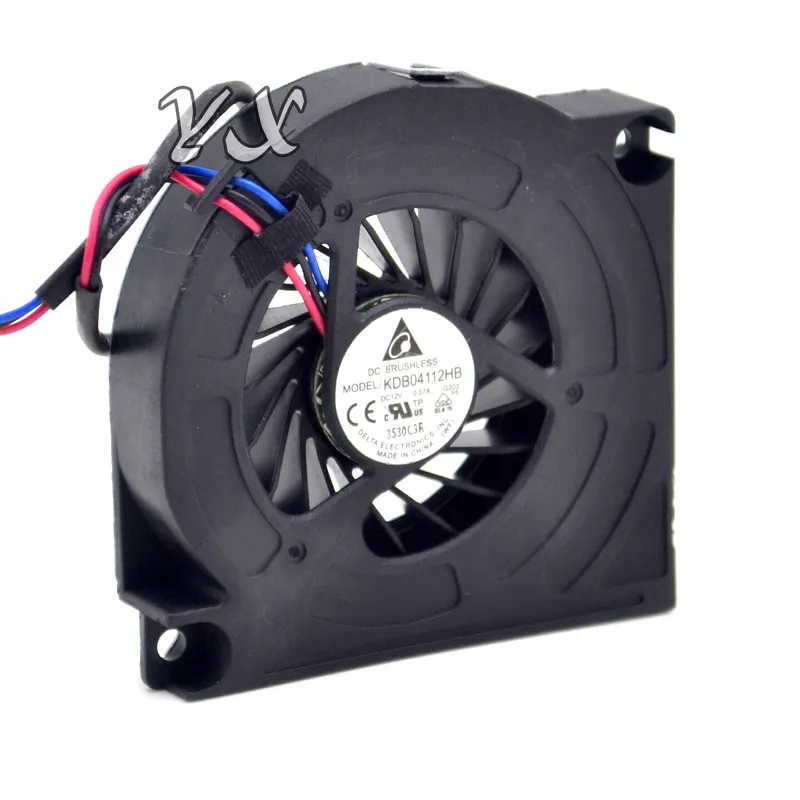
Buy Now
See More: Wholesale Products
1. Improved cooling for better PC performance
But why are these fans so important? What benefits do they bring to the table, and is it worth investing in more powerful or additional fans for your PC?
In this article, we'll explore the benefits of installing case fans on your PC, and why they're an essential component for any serious PC gamer or user.
1. Improved cooling for better PC performance
The most obvious benefit of installing case fans is improved cooling performance for your PC. When your components get too hot, they can start to throttle or slow down, which can cause drops in performance and stability issues.
By installing case fans, you can keep your PC running at optimal temperatures, allowing your components to perform at their best. This is especially important if you're using high-performance components like CPUs and GPUs, which can generate a lot of heat under load.
There are several types of case fans available, including exhaust fans, intake fans, and radiator fans. Exhaust fans are designed to push air out of your case, while intake fans bring fresh air into your case. Radiator fans are typically used in liquid cooling setups, and are designed to cool down radiators that are used to dissipate heat from your components.
Depending on your specific setup and needs, you may want to invest in different types of fans to optimize your cooling performance. For example, if you have a lot of components in your case, you may want to install multiple exhaust fans to help remove hot air from your case.
2. Extended lifespan for your components
Another benefit of improved cooling performance is extended lifespan for your components. When your components run hot for extended periods of time, it can cause wear and tear on your hardware, leading to reduced lifespan and potential failures.
By keeping your components running at optimal temperatures, you can help to extend their lifespan and reduce the risk of hardware failures. This can save you money in the long run, as you won't have to replace your hardware as frequently.
3. Reduced noise levels
When your components get too hot, they often have to work harder to maintain stable performance. This can lead to increased fan speeds and noise levels, which can be distracting and annoying during gaming or other intensive tasks.
By improving your cooling performance with case fans, you can reduce the workload on your components, which can help to lower noise levels. This can make for a more pleasant computing experience, especially if you spend a lot of time working or gaming on your PC.
4. Improved overclocking potential
If you're a PC enthusiast who likes to overclock your components for extra performance, then case fans are an essential component. Overclocking your CPU or GPU can generate more heat than usual, which can cause instability or even damage your components if you don't have adequate cooling.
By installing additional case fans or upgrading your existing ones, you can improve your cooling performance and unlock higher overclocking potential for your components. This can result in significant performance gains, especially if you're pushing your hardware to its limits.
5. Aesthetics and customization options
Finally, installing case fans can also add some aesthetic appeal to your PC. Many fans come with customizable RGB lighting options, which can be synced up with other RGB components in your system for a cohesive look.
Additionally, there are a variety of fan sizes and styles available, allowing you to customize the look and feel of your PC to your liking. Whether you prefer sleek and minimalist designs or flashy and colorful builds, there's a fan out there that can help you achieve your desired aesthetic.
Conclusion
Overall, installing case fans is an essential component for anyone who wants to maximize their PC's performance, lifespan, and aesthetics. By improving your cooling performance, you can keep your components running at optimal temperatures, reduce noise levels, extend lifespan, and unlock higher overclocking potential.
2. Prolongs lifespan of computer components
First and foremost, installing case fans can help keep your PC cool. When a PC gets too hot, the components can become damaged over time. This can result in slower performance or even complete failure of certain parts. By having adequate cooling in place, you can help prevent this from happening.
In addition to preventing damage, cooling your PC with case fans can also help improve its performance. When a PC gets too hot, it can start to slow down as the components struggle to keep up with the increased temperature. By keeping the temperature under control, you can ensure that your PC runs smoothly and efficiently.
Another benefit of installing case fans is that they can help reduce noise. If your PC is running hot, the fans will have to work harder to keep everything cool. This can result in a lot of noise as the fans spin faster and produce more sound. By keeping your PC cool with case fans, you can reduce the amount of noise that your PC produces.
Finally, installing case fans can help prolong the lifespan of your PC components. When a PC runs hot, the components can become damaged over time. This can result in shorter lifespans for certain parts, which means you'll need to replace them sooner than you would if your PC was properly cooled. By keeping your PC cool with case fans, you can help ensure that your components last as long as possible.
There are a few different types of case fans that you can choose from when you're looking to upgrade your PC's cooling system. The most common type is the standard fan that mounts inside your PC case. These fans come in a variety of sizes and speeds, so you can find one that's right for your specific needs.
Another option is to use liquid cooling. This involves installing a water block on your CPU and connecting it to a pump and radiator. While this option can be more expensive and complicated to set up, it offers excellent cooling performance and can be much quieter than traditional fans.
When you're installing case fans on your PC, it's important to think about where you want them to be located. Ideally, you'll want to have at least one fan blowing air into your PC and another fan blowing air out. This creates a flow of air that helps keep your PC cool and removes hot air from inside the case.
You'll also want to make sure that your fans are properly sized for your PC case. A larger case may require larger fans to circulate air effectively, while a smaller case may only need one or two smaller fans. Additionally, you'll want to consider the speed of your fans. Faster fans can move more air, but they can also be louder.
3. Reduces noise from overheating
1. Improves overall performance
Case fans are essential for maintaining a safe operating temperature inside your computer. When the internal temperature of your computer rises, it can cause your CPU to throttle its performance to prevent overheating. This could lead to lagging, freezing, or even sudden shutdowns. By installing case fans, you create an airflow that helps carry away the hot air generated by your computer's components. This cools down your system, allowing it to operate at peak performance.
2. Increases lifespan of components
High temperatures can cause significant damage to your computer's internal components. Over time, this can lead to reduced performance and eventually complete failure. However, by installing case fans, you can significantly increase the lifespan of your components. The cooler your computer runs, the less stress is placed on your components, and the longer they will last.
3. Reduces noise from overheating
If you've ever heard a loud whirring sound coming from your computer, chances are it's due to overheating. When your computer's components get too hot, the fans work harder to cool them down, causing them to spin faster and generate more noise. By installing case fans, you create a more efficient cooling system that reduces the workload on your fans. This results in much quieter operation, making your computing experience more enjoyable.
4. Enhances overclocking capability
Overclocking is the process of increasing the clock speed of your CPU or GPU beyond its predetermined limits. While this can enhance your computer's performance, it also generates more heat. Without proper cooling, overclocking can cause your computer to overheat, leading to instability and potential damage to your components. By installing case fans, you can create a more effective cooling system that allows you to safely overclock your components without risk of overheating.
5. Easy to install
Installing case fans is relatively easy and requires minimal technical expertise. Most cases come with pre-drilled holes for mounting fans, making installation a breeze. All you need is a screwdriver, and you're good to go. Additionally, many case fans come with built-in speed controllers, allowing you to adjust their speed and optimize performance.
4. Efficient air circulation
1. Temperature Control
One of the most significant benefits of installing case fans is temperature control. A PC generates heat when it operates, and if left unchecked, this heat can cause damage to the internal components of your computer. Case fans work by drawing in cool air from the outside and expelling hot air from inside the casing. This continuous airflow keeps the temperature inside your PC at a safe level, preventing overheating and component failure.
2. Noise Reduction
Another advantage of installing case fans is noise reduction. As a PC operates, it generates noise due to the sound of the fans spinning. However, with proper case fan installation, the noise levels can be reduced significantly. For example, a well-designed fan features silent operation, which means that you can enjoy using your PC without any disturbances.
3. Improved System Performance
Installing case fans also improves the overall performance of your computer. As mentioned earlier, the airflow inside your PC plays a crucial role in maintaining its temperature. When the temperature is stable, the internal components of your PC operate more efficiently, leading to improved system performance. Additionally, if you're someone who uses your PC for gaming or resource-intensive tasks, installing case fans will help prevent thermal throttling. Thermal throttling occurs when the CPU slows down to prevent overheating, causing a decrease in performance.
4. Efficient Air Circulation
Efficient air circulation is another benefit of installing case fans. A good airflow system ensures that all the internal components receive an adequate supply of cool air, which prevents hot spots from forming inside your PC. Moreover, efficient air circulation helps to increase the lifespan of your computer's components. When the internal temperature is kept at a stable level, the components are less likely to suffer from wear and tear.
5. Cost-Effective Solution
When compared to other cooling solutions such as liquid cooling, installing case fans is a cost-effective solution. Liquid cooling systems may offer excellent cooling performance, but they come with a hefty price tag. On the other hand, case fans are relatively affordable and require little maintenance. Additionally, unlike liquid cooling systems, there is no risk of leaks or spills with case fans.
6. Easy to Install
Installing case fans is a straightforward process and does not require any technical expertise. Most modern cases feature pre-drilled mounting holes for easy installation. Furthermore, case fan manufacturers provide detailed installation instructions, making it easy for anyone to install them correctly.
5. Protects against dust buildup
1. Keep Your PC Cool
One of the primary benefits of installing case fans is that they help keep your PC cool. As components like the CPU and graphics card work harder, they generate heat, which can cause damage or affect performance over time. Without proper ventilation, this heat can accumulate inside the case, leading to higher temperatures and potential instability.
Case fans are designed to circulate air throughout the case, drawing in cooler air from outside and expelling warm air from inside. This process helps maintain a more stable temperature and prevents overheating, which can cause crashes, freezes, or even hardware failure.
2. Improve Performance
In addition to preventing overheating, case fans can also improve overall performance by allowing your components to run at their full potential. When the temperature inside the case rises, the CPU and graphics card may throttle themselves to reduce heat output, resulting in slower speeds and lower frame rates.
By keeping the case cool with case fans, you can avoid this throttling and ensure that your components are running at their maximum clock speeds. This can lead to faster load times, smoother gameplay, and improved overall system responsiveness.
3. Extend Component Lifespan
Another benefit of installing case fans is that they can help extend the lifespan of your components. Overheating can cause permanent damage to sensitive electronics, leading to reduced performance or even complete failure.
By keeping the temperature inside the case under control, case fans can help prevent this kind of damage and ensure that your components last as long as possible. This can save you money in the long run by reducing the need for costly repairs or replacements.
4. Reduce Noise
Many modern components are designed to be as quiet as possible, but when they're working hard, they can still generate a significant amount of noise. In some cases, this noise can be distracting or even disruptive, especially if you're using your computer in a quiet environment.
Case fans can help reduce this noise by providing additional ventilation and allowing components to run cooler without having to work as hard. This can lead to a quieter overall system and a more comfortable computing experience.
5. Protect Against Dust Buildup
Finally, installing case fans can help protect your PC against dust buildup, which can be a significant problem in some environments. As air flows through the case, it can pick up dust and other particles, which can accumulate on components and interfere with airflow.
Over time, this buildup can cause components to overheat, slow down, or even fail completely. By installing case fans, you can help prevent this buildup by circulating air more efficiently and ensuring that dust and debris are expelled from the case before they can settle on components.
Conclusion
If you're looking to build or upgrade a desktop computer, don't overlook the importance of case fans. These small devices can have a big impact on your system's performance, lifespan, and overall comfort. From keeping your PC cool to protecting against dust buildup, case fans are an essential component of any well-designed desktop computer.
Recommended related content
What Are the Benefits of Installing a Heater in Your Home?
What Are the Benefits of Installing Oil Tanks in Your Home?
What are the Benefits of Installing Concrete Floors in Your Home?
