
5 best PC cooling fans for optimal system performance
Upload time :August 31, 2023
Shares
Reads
Looking for the best PC cooling fan? We've got you covered with our comparison of the top 5 on the market. Our review covers key features such as noise levels, fan speed, airflow capacity, and compatibility with different types of CPUs and motherboards. We also highlight the pros and cons of each fan based on customer reviews and expert recommendations to help you make an informed decision. Plus, we discuss the price range of each fan and provide a comprehensive assessment of the overall value proposition, taking into account factors such as durability, warranty, and customer service. Don't let your PC overheat - get the right cooling fan for your needs today.
Comparison of the 5 best PC cooling fans
1. Noctua NH-D15: This dual-tower CPU cooler is designed to provide excellent cooling performance with minimal noise. It has two 140mm fans that can spin up to 1500 RPM and push up to 82.5 CFM of air. The NH-D15 is compatible with Intel LGA1200, LGA115x, LGA2011-0 & 2011-3 (Square ILM), and AMD AM2, AM2+, AM3, AM3+, FM1, FM2, FM2+, AM4 (with NM-AM4) sockets. It's also easy to install and comes with a 6-year warranty.
2. Corsair Hydro Series H100i RGB Platinum SE: This all-in-one liquid CPU cooler features a 240mm radiator and two 120mm ML Series magnetic levitation PWM fans that can spin up to 2400 RPM. It has a noise level of 37 dBA and can push up to 75 CFM of air. The H100i RGB Platinum SE is compatible with Intel 115x, 1200, 2011/2066, and AMD AM4 sockets. It also has customizable RGB lighting and comes with a 5-year warranty.
3. Cooler Master Hyper 212 RGB Black Edition: This tower CPU cooler features a single 120mm fan that can spin up to 2000 RPM and push up to 57.3 CFM of air. It has a noise level of 26 dBA and is compatible with Intel LGA 2066/2011-v3/2011/1366/1200/1151/1150/1155/1156/775 and AMD AM4/AM3+/AM3/AM2+/AM2/FM2+/FM2/FM1 sockets. The Hyper 212 RGB Black Edition also has customizable RGB lighting and comes with a 2-year warranty.
4. be quiet! Dark Rock Pro 4: This dual-tower CPU cooler features two Silent Wings 3 120mm fans that can spin up to 1500 RPM and push up to 77.57 CFM of air. It has a noise level of 24.3 dBA and is compatible with Intel 1150/1151/1155/1156/1200/2011(-3) Square ILM/2066 and AMD AM4/AM3(+)/AM2(+)/FM2(+)/FM1 sockets. The Dark Rock Pro 4 is also easy to install and comes with a 3-year warranty.
5. Arctic Freezer 34 eSports DUO: This tower CPU cooler features two 120mm BioniX P-fans that can spin up to 2100 RPM and push up to 68 CFM of air. It has a noise level of 33 dBA and is compatible with Intel 1150, 1151, 1155, 1156, 2011(-3), 2066 and AMD AM4 sockets. The Freezer 34 eSports DUO also has customizable RGB lighting and comes with a 10-year warranty.
Pros and Cons
1. Noctua NF-F12 PWM:
Pros:
- The Noctua NF-F12 PWM has excellent airflow, making it suitable for high-performance systems.
- It operates quietly, making it perfect for those who prefer to work in a quiet environment.
- Its design includes anti-vibration pads which help to reduce noise even further.
Cons:
- This fan is slightly more expensive than other options in the market.
- Its brown color scheme may not appeal to everyone.
2. Corsair ML120 Pro LED:
Pros:
- The Corsair ML120 Pro LED has impressive performance with its high static pressure.
- It has customizable RGB lighting that allows users to match their computer's aesthetics.
- The fan comes with magnetic levitation bearings, which makes it last longer than fans with traditional ball bearings.
Cons:
- Its price point is higher than most fans.
- Some users have reported issues with the software used to control the RGB lighting.
3. be quiet! Silent Wings 3:
Pros:
- The be quiet! Silent Wings 3 is incredibly silent, making it an excellent option for those who value a quiet working space.
- It has a sleek design that fits well with most PC builds.
- The fan's rubberized mounting system reduces vibrations and noise.
Cons:
- The airflow isn't as strong as other fans in the market.
- It doesn't come with RGB lighting options, which may be a downside for some users.
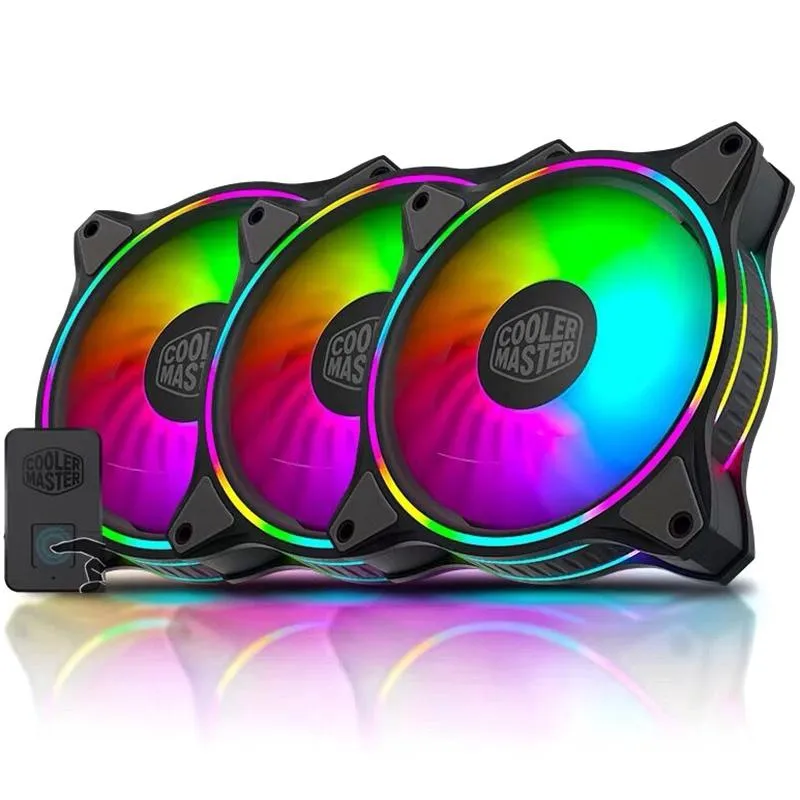
4. Cooler Master SickleFlow 120:
Pros:
- The Cooler Master SickleFlow 120 is reasonably priced compared to other fans.
- It has a high airflow rate, making it ideal for gaming and overclocking.
- The fan's RGB lighting can be controlled using a remote controller, making it easy to customize.
Cons:
- The build quality could be better.
- Some users have reported issues with the fan's durability over time.
5. Thermaltake Riing 12 LED:
Pros:
- The Thermaltake Riing 12 LED has excellent airflow rate and pressure, making it ideal for high-performance systems.
- Its unique design allows for optimal heat dissipation.
- The fan comes with customizable RGB lighting options that can be controlled using software.
Cons:
- The fan is slightly louder than other options in the market.
- Its price point is higher than most fans.
Price and Value
The first PC cooling fan on our list is the Corsair ML120 Pro. Priced at around $25, the Corsair ML120 Pro is a mid-range option in terms of price. However, when it comes to value, the Corsair ML120 Pro offers excellent performance and durability. It features a magnetic levitation bearing that ensures quiet operation and long-lasting performance. Moreover, it comes with a 5-year warranty, which is a testament to its durability.
Next up, we have the Noctua NF-F12. Priced at around $20, the Noctua NF-F12 is a budget-friendly option. Despite its low price tag, the Noctua NF-F12 provides exceptional value. It boasts a unique design that reduces noise and vibration, making it one of the quietest options on the market. Additionally, it comes with a 6-year warranty, which is an impressive feat for a fan in this price range.
Moving on, we have the be quiet! Silent Wings 3. Priced at around $25, the be quiet! Silent Wings 3 is a mid-range option that offers great value. It features a unique blade design that maximizes airflow and minimizes noise. Furthermore, it comes with a 3-year warranty and excellent customer service, which adds to its overall value proposition.
The fourth PC cooling fan on our list is the Cooler Master SickleFlow X. Priced at around $15, the Cooler Master SickleFlow X is another budget-friendly option. While it may not be as durable as some of the other options on this list, it still offers great value. It features a unique LED lighting system that adds a touch of style to your PC build. Additionally, it comes with a 2-year warranty, which is reasonable for a fan in this price range.
Lastly, we have the NZXT Aer RGB 2. Priced at around $30, the NZXT Aer RGB 2 is a high-end option in terms of price. However, it offers excellent value thanks to its exceptional performance and customizable lighting system. It features a unique winglet design that maximizes airflow and reduces noise. Additionally, it comes with a 2-year warranty and excellent customer service, which adds to its overall value proposition.
In conclusion, when it comes to purchasing a PC cooling fan, it is important to consider both the price and the value it offers. Each of the five PC cooling fans on this list offers great value in relation to their price. Factors such as durability, warranty, and customer service all play a role in determining their overall value proposition. Ultimately, the decision of which PC cooling fan to choose will depend on your specific needs and budget.
 Buy NowSee More: Wholesale Products
FAQ
Q1. What are the benefits of using PC cooling fans?
Using PC cooling fans can help regulate the temperature inside your computer system, which is crucial for optimal performance and longevity. When your system gets too hot, it can cause damage to the internal components, resulting in slower performance or even hardware failure. By keeping your system cool with a PC cooling fan, you can avoid these issues and ensure that your computer runs smoothly.
Q2. How do I choose the right PC cooling fan for my system?
Choosing the right PC cooling fan depends on several factors, including the size and layout of your computer case, the level of noise you're willing to tolerate, and your budget. Look for fans that are compatible with your case and offer adequate airflow, as well as those that have low noise levels and fit within your price range.
Q3. Can I install PC cooling fans myself?
Yes, installing PC cooling fans is typically a straightforward process that can be done by most computer users. However, if you're not comfortable working with computer hardware, it's best to seek assistance from a professional or a knowledgeable friend. Make sure to follow the manufacturer's instructions carefully to ensure proper installation and avoid any damage to your system.
Q4. How many PC cooling fans do I need for my system?
The number of PC cooling fans you need will depend on the size of your system and how much heat it generates. Generally, it's recommended to have at least one intake fan and one exhaust fan, but larger systems may require more. It's also important to consider the placement of the fans to ensure adequate airflow throughout the system.
Q5. What are some common features to look for in a PC cooling fan?
Some common features to look for in a PC cooling fan include quiet operation, high airflow, adjustable speed settings, and RGB lighting. Additionally, you may want to consider the type of bearings used in the fan, as this can affect both the noise level and the lifespan of the fan. Ultimately, the best PC cooling fan for you will depend on your individual needs and preferences.
