
Why is The Original Data Cable of Apple Mobile Phone So Easy to Break?
Upload time :September 19, 2023
Shares
Reads
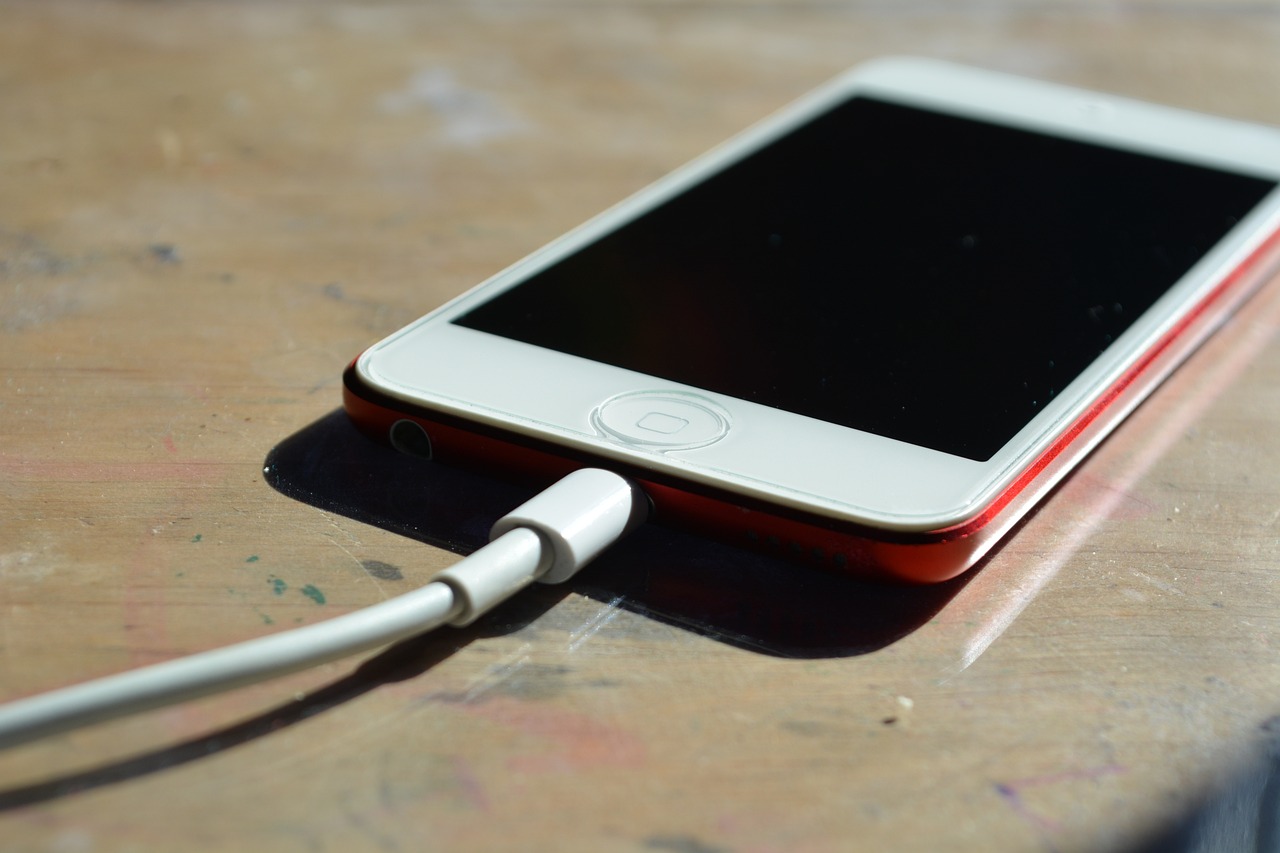
Apple's original data cable is expensive to buy separately, and it's not durable! It was easy for the white surface layer of the insulator to crack, and then it began to gradually deteriorate!
Introduction
In the early days of personal computing, transferring data between devices was a clumsy process. Diskettes and serial cables allowed some data transfer, but they were slow, inconvenient, and limited in capacity. This changed in 2003 when Apple introduced the first 30-pin dock connector with their third generation iPod. This proprietary connector allowed fast data syncing between the iPod and computer through a single cable. The connector featured both FireWire and USB inputs for data transfer as well as analog audio output. The 30-pin connector revolutionized connectivity and became standard across Apple's product line including the iPhone and iPad. It allowed easy, one-cable connection for syncing music, photos, videos, and apps between devices. The 30-pin connector was ubiquitous among Apple products for a decade until the introduction of the smaller Lightning connector in 2012. But it paved the way for the seamless cross-device connectivity Apple customers now enjoy.
Connector Types
Apple has used several connector types over the years including 30-pin, 8-pin Lightning, and USB-C. The current iPhones use a Lightning connector on one end and a USB-A or USB-C on the other end.
Power/Data Transfer
The cables allow both power delivery for charging as well as data transfer between the iPhone and other devices like computers. High-quality cables support faster charging and data speeds.
Materials
Apple uses tin-coated copper wires wrapped in a flexible plastic coating. The connectors have a smart chip inside for authenticity.
Lengths
Apple provides both 1m and 2m cable lengths. Longer 3rd party cables are available but may not support higher data speeds. Excessive lengths increase resistance.
Colors
The cables are typically white but may be packaged with matching iPhone colors like black, red, etc. Special edition collaborations also produce unique colors.
Versions
Apple cables are marked with generation/version info like "Designed by Apple in California. Assembled in China. MD818ZM/A".
Authentication
Beginning with the 8-pin Lightning cable, Apple added chips to verify official cables for safety and compatibility.
Pricing
Direct from Apple, the pricing is around $19 for a 1m cable and $35 for a 2m version. Third party cables can be significantly cheaper.
Alternatives
There are many cheaper third-party versions, but quality varies greatly. Apple warns reliability/safety risks with non-verified cables.
So, in summary, Apple produces high-quality data cables designed specifically for syncing iPhones and iPads with other devices while maintaining authentication features for verified accessories.
Insufficient Production and Design
The data cable adopts a multi-layer insulation design, and the insulation material between the outer layer and the inner layer is easily damaged.
The quality of the data cable manufacturer may not be up to standard, causing the metal material at the data cable plug to be easily damaged.
The metal material at the data cable connector may be designed too tightly, making it difficult to plug in and out, which may easily cause damage.
Apple’s original data cables use aluminum foil and metal mesh for insulation and enhanced toughness. However, the processing of these materials at the data cable connectors has flaws, causing the data cables to be easily damaged. The body of Apple's original data cable is relatively thin and soft, and the outer braided wire is easy to loosen, causing the data cable to be easily damaged.
The connection between the plug and the cable of Apple's original data cable is fixed by injection molding. This fixing method is prone to friction during use, leading to damage. The cables use a lightweight plastic coating that can crack or peel with regular handling. Heavier use causes the cable to degrade faster. Apple's original cables are designed to be compact and portable, but this means they sacrifice some durability compared to thicker, more rugged cables. The cables are designed for syncing and charging rather than extended data transfer. The thin wires may not withstand high-speed data rates over long periods. Early versions of Apple's cables used materials and connector designs that were more failure-prone than later iterations. Quality has improved in newer generations.
The interface design of Apple's original data cable is too compact, making it difficult to insert accurately, and it is easy to cause insertion and extraction deviations, resulting in damage.
Apple's original data cables are prone to oxidation and corrosion in high-humidity environments, causing the conductive performance of the data cables to decrease or even be damaged.
In short, there are many reasons why Apple's original data cables are easily damaged, but most of them are caused by design defects, improper production process and material selection, and usage environment.
Man-Made Usage Reasons
Note that original data cables for Apple mobile phones are relatively durable under normal use, but there are some common reasons that may cause them to malfunction or be damaged easily: (Also avoid buying counterfeit products!)
Inferior chargers and data cables
Using unofficial or low-quality chargers and data cables may cause problems. These chargers and data cables may not be certified by Apple, their quality is unreliable, and their current and voltage control may be unstable, thereby putting excessive pressure on the data cables and accelerating the risk of damage.
Incorrect usage
Apple data cables need to be used and handled correctly to avoid excessive bending, pulling or twisting. Frequent incorrect use may cause the tiny wires inside the cord to break or become damaged.
Some users mistakenly wrap the cable too tightly around the phone or bend it at sharp angles, which damages the internal wires.
Frequent bending/twisting of the cable puts strain on the internal wiring and connections. Apple's data cables have a relatively thin, flexible design that can fatigue over time with repeated use.
Frequent plugging and unplugging
Too frequent plugging and unplugging of the data cable may cause wear and tear on the connector part, eventually leading to poor connection or failure to charge and transmit data normally.
Environmental factors
Some environmental factors may also cause damage to the data cable, such as humidity, high temperature, dust, etc. These factors may accelerate the aging and damage of data lines. Exposure to liquids or heat can degrade the cable coatings and connections over time.
The original data cable may also have some manufacturing defects or accidental failures. Although this situation is relatively rare, it is not completely absent.
So, in summary, a combination of the thin, compact design, lightweight materials, and potential mishandling can lead to the cables becoming frayed or malfunctioning after prolonged use. More durable aftermarket cables are available, but Apple's original cables prioritize small size over ruggedness.
Use Correctly
With proper care and handling, Apple's data cables can enjoy a full lifespan. Being cautious about not stressing or bending the cable can go a long way.
In order to extend the service life of the data cable, it is recommended to take the following measures:
1. Use officially certified chargers and data cables. Avoid purchasing low quality knock-off cables that may not have robust internal components. Official Apple cables and chargers go through rigorous testing to meet safety standards. Non-certified accessories may take shortcuts and present fire or shock risks, especially for counterfeits. Apple cables use dedicated chips to communicate properly with iPhones and iPads. Non-verified accessories could potentially damage devices or not perform optimally. Original Apple cables and chargers are typically made with high-quality materials and rigorous quality control for longevity. Cheaper knockoffs are more prone to fraying, disconnects, etc.
2. Hold the data cable plug lightly to avoid excessive twisting or bending. Avoid bending the cable sharply or twisting it excessively. The soft flexible design can be damaged by overly tight bends near the connectors. Be gentle when connecting and disconnecting the cable. Don't yank on the wire or put strain on the connectors.
3. Pay attention to the correct plugging and unplugging method and avoid frequent plugging and unplugging. When disconnecting the cable, pull on the connectors instead of the wire itself. Pulling on the wire stresses it. Plugging and unplugging causes mechanical stress over time which can damage ports and connectors. Less frequency reduces fatigue. Frequently handling cables increases risk of sharper bends during use, which can damage internals. Securely connecting cables all the way reduces chances of partial disconnections during use. Unplugging during data transfer or software updates could lead to corruption or instability. Improper unplugging while device is still in use could cause component damage or data loss. Leaving cables securely plugged in saves effort of repeated connects/disconnects when charging or syncing. Frequent interrupts increase chances of data synchronization errors between devices.
4. Avoid exposing data cables to harsh environments. Avoid exposing the cable to liquids, heat, or sharp objects that could penetrate the plastic coating. Consider using cable protectors or sleeves to reinforce the most vulnerable areas. Limit using the cable in very hot or cold environments which can accelerate wear.
5. Regularly check the data cable for obvious signs of damage, such as damaged cable sheath, deformed connectors, etc., and replace it in time. Inspect the cable regularly for external damage like cracks or frays. Damage usually starts small before progressing. Replace frayed, bent, or malfunctioning cables immediately to avoid further deterioration. Don't keep using damaged cables.
6. When wrapping the cable for storage, use loose wraps instead of tight coils. Tight wraps can put internal stress on the wire. Use cable organizers or ties to keep the cable neatly managed rather than loosely strewn. Haphazard storage can lead to kinks or knots.
Recommended: Original Apple iPad data cable, extended fast charging cable, tablet ipad4 charger, air/mini2/4/3 universal
In short, there are many reasons why Apple's original data cables are easily damaged, but most of them are caused by design defects, improper production process and material selection, and usage environment.
 Buy NowSee More: Wholesale Products
