
Create Stunning Short Videos with Sora: Don't Forget These Pro Tools
Upload time :January 15, 2025
Shares
Reads
For self-media creators, Sora is a powerful content output tool. In the past, creators had to spend a lot of time conceiving video scenes, shooting, and doing post-editing work. But now, just by entering the corresponding text descriptions, Sora can quickly generate high-quality short videos. For example, when creating short videos about life sharing, creators can describe "a cozy scene of leisurely drinking tea and reading books in one's own garden on a sunny afternoon", and Sora will be able to generate the corresponding video content. Another example is for self-media in the field of science popularization. When explaining scientific knowledge, they can ask Sora to generate videos demonstrating relevant experiments or showing principles, making the content more vivid and easy to understand and greatly improving the creation efficiency and the richness of the content.
On social media platforms, attracting traffic is the key. Brands and marketers can use Sora to create attractive short video advertisements to promote products or services. For instance, when a new sports drink is launched on the market, by entering the description like "A group of energetic young people are drinking a certain brand of sports drink heartily while doing outdoor sports, with satisfied smiles on their faces and surrounded by beautiful natural scenery", the video generated by Sora can be released as advertising material on social media to attract the attention of target users and enhance brand awareness and product sales. Meanwhile, internet celebrity bloggers on social media can also use Sora more conveniently to create all kinds of interesting and novel short videos to maintain the attention and activity of their fans.
Sora Short Video Production Process
I. Preparatory Stage
Determine the Theme and Content
Before embarking on the creation of short videos using Sora, nailing down the theme and content emerges as an indispensable initial step. Primarily, it is of utmost importance to gain a profound understanding of the target audience, as distinct groups exhibit substantial disparities in their predilections for video content. For instance, for the youthful cohort, trendy, entertainment-oriented, and technological elements can serve as captivating themes. In contrast, for the middle-aged and elderly demographics, themes revolving around health preservation and traditional culture might hold greater allure.
Simultaneously, conceiving the content by capitalizing on one's own fortes is essential. This not only renders the creative process more seamless but also endows it with uniqueness. For example, if a creator has in-depth knowledge of cuisine, they can zero in on themes centered around food preparation and local specialty dishes. Additionally, keeping an eye on current hot topics is a prudent approach, as it heightens the likelihood of short videos attracting the audience's attention.
When conceptualizing the theme, creativity is key. Discovering a unique entry point guarantees that the short video not only entices the audience but also accurately imparts effective information. For instance, amid a plethora of short videos with a tourism theme, opting for "Unique Experiences in Lesser-known Travel Destinations" can make it stand out from the sea of homogeneous content.
Prepare Materials
The preparation of materials wields a pivotal role in Sora short video production. Firstly, it is necessary to craft the text prompt for generating the video, which should describe the intended video content with utmost precision and detail. For example, if one desires to generate a video about a forest adventure, the prompt could be: "In a luxuriant and ancient forest, sunlight filters through the dense foliage, casting dappled shadows. The protagonist dons outdoor adventure gear, totes a backpack, holds a map, and treads along the winding path. From time to time, the calls of birds and the rustling of leaves can be heard in the vicinity."
In addition to the text prompt, if supplementary picture and audio materials are required, they should be meticulously selected. Opting for high-quality materials that align with the theme can enrich and enliven the video. For instance, for the aforementioned forest adventure-themed video, scouting for real forest pictures and audio materials such as footsteps and birdsong can be beneficial. Different types of materials play diverse roles in the subsequent production process. Picture materials can assist Sora in better comprehending the scene setting, while audio materials can enhance the video's atmosphere and immerse the audience.
II. Video Generation Stage
When inputting instructions on the Sora platform, the description must be exquisitely detailed. Beyond the basic elements like scenes and characters, specific details such as the clothing styles and colors of the characters, as well as particularities in the scene settings (e.g., interior decoration style, outdoor weather conditions) should be articulated clearly to ensure the consistency of the generated video and maximize its alignment with the expected effect. For example, when describing an ancient costume character, clearly state: "Wearing a light pink ancient costume long dress adorned with delicate plum blossom patterns embroidered on the skirt, and sporting a silver hair accessory inlaid with blue gemstones." This will result in a more accurate character image in the generated video.
Moreover, different parameter settings exert a significant impact on video generation. In terms of resolution, common options include 1080p, 720p, and the like. If aiming for display on a large screen or seeking a higher-definition effect, 1080p can be a viable choice. Conversely, for situations where the demand for image quality is not overly stringent and more emphasis is placed on sharing convenience, 720p can suffice. The selection of aspect ratio should be dictated by the video's intended use and the characteristics of the playback platform. For instance, when there is a preponderance of vertical screen views on mobile devices, an aspect ratio of 9:16 is more appropriate. If the video is primarily targeted at horizontal screen devices like computers and televisions, an aspect ratio of 16:9 is a common and practical choice.
III. Post-editing and Processing Stage
Editing and Optimization
When utilizing video editing software to edit and refine the videos generated by Sora, it is imperative to trim off redundant segments to achieve a more compact and smooth video rhythm. For example, overly long pauses and repeated scenes can be eliminated. For instance, in an original landscape video, if the picture lingers on the same scenery for several seconds without any variation, this portion can be judiciously cut.
When adding transitions and special effects, moderation is the watchword to avert excessive use that could mar the viewing experience. Appropriate transitions can render the video transition more natural. For example, fade-in and fade-out transitions are well-suited for creating a soothing ambiance. And when special effects are judiciously employed, they can enhance the video's allure. For instance, adding some light and shadow special effects to a sports-themed video can amplify the dynamic feel. However, if there are an overabundance of transitions and special effects that are overly elaborate, they will distract the audience and make the video appear chaotic.
Audio Matching
Selecting appropriate background music and sound effects constitutes an important facet of enhancing the quality of short videos. Audio should be chosen in accordance with the video style and the need for emotional expression. For example, when creating a romantic love-themed video, soothing and beautiful piano music can serve as an ideal background. If it's a funny video, pairing it with some humorous and engaging sound effects will be more fitting.
Simultaneously, adjusting the audio volume is crucial to ensure a balance among various audio elements and avoid scenarios where the background music is overly loud and drowns out the main sound or where sound effects are overly abrupt. Eliminating noise is also essential to ensure the purity of the audio, enabling a seamless integration of audio and video and enhancing the audience's immersion, making them feel as if they are right in the midst of the action experiencing the content conveyed by the video.
Resolution and Format Adjustment
In accordance with the requirements of different publishing platforms, choosing the appropriate video resolution and export format is of paramount importance. Common resolutions include 1080p, 4K, and others. Generally, on large-screen devices such as computers and smart TVs, 1080p or 4K can display clearer and more delicate picture effects. For small-screen devices like mobile phones, 1080p typically meets viewing needs and is more convenient for sharing and transmission, given that video files with 4K resolution are often relatively large.
In terms of the export format, the MP4 format offers strong compatibility and can be played smoothly on almost all common video playback platforms and devices, making it a commonly employed choice. However, some specific platforms may have particular requirements for the format. For example, some professional video websites might support higher-quality encoding formats. In such cases, it is necessary to carry out corresponding format conversion based on the specific situation to ensure that the video can present its best effect after sharing and provide the audience with an excellent viewing experience.
Sora Short Video Production - Common Issues and Solutions
I. Content Consistency Issues
When using Sora to generate videos, one may sometimes encounter issues related to content consistency. For example, it is difficult to achieve consistent characters and scene elements between different shots. Although Sora currently performs well in maintaining the coherence of objects in a video, it still lacks a mature method to precisely match the content generated each time. Even if the same prompt is used again for generation, the results may still vary.
However, we can use some practical techniques to try to solve such problems. For instance, when entering the prompt, provide an extremely detailed description as much as possible, such as clearly explaining the clothing style and color of the characters, and specifically stating the type and characteristics of objects. For example, when making a video containing balloon elements, describe in detail the color, shape, whether there are patterns, and whether there is a string attached to the balloon. This helps improve the consistency of the balloon image in the generated video. In addition, we can make more use of Sora's function of accepting images as input, provide reference pictures to help it better understand the elements and scenes to be presented, improve content consistency and accuracy, and make the generated video more in line with the expected effect.
II. Rendering Time-Consuming Issues
Rendering time is a point of concern in Sora short video production and is affected by multiple factors. In terms of resolution, generally, the larger the resolution, the longer the rendering time required. For example, when choosing 1080p resolution to generate a video, compared to 720p, the rendering time will increase significantly. The video duration has a relatively smaller impact on rendering time, but overall, generating a longer video will still take more time than a shorter one.
Different versions of Sora also have different performances in terms of rendering time. Early versions may be slightly slower in rendering speed, which will be optimized with version iterations. Based on actual production experience, each rendering takes about 10 to 20 minutes and can generate a video of 3 - 20 seconds. For example, when making the short film "Air Head", in order to improve speed, the team initially produced all shots in 480p and then used external AI tools to increase the resolution.
Under the premise of ensuring a certain video quality, the following methods can be used to reasonably control the rendering time. Firstly, choose an appropriate resolution according to the final use of the video. If it is only for simple sharing on mobile devices, 720p may meet the needs. If it is planned to be displayed on a large screen or on a platform with high image quality requirements, then consider higher resolutions such as 1080p. Secondly, plan the video content in advance, try to streamline unnecessary elements and overly long segments as much as possible, and reduce the complexity of generating the video, thereby shortening the rendering time to a certain extent.
III. Picture and Sound Quality Issues
During the Sora short video production process, some common issues may also occur in terms of picture and sound quality, but there are corresponding solutions.
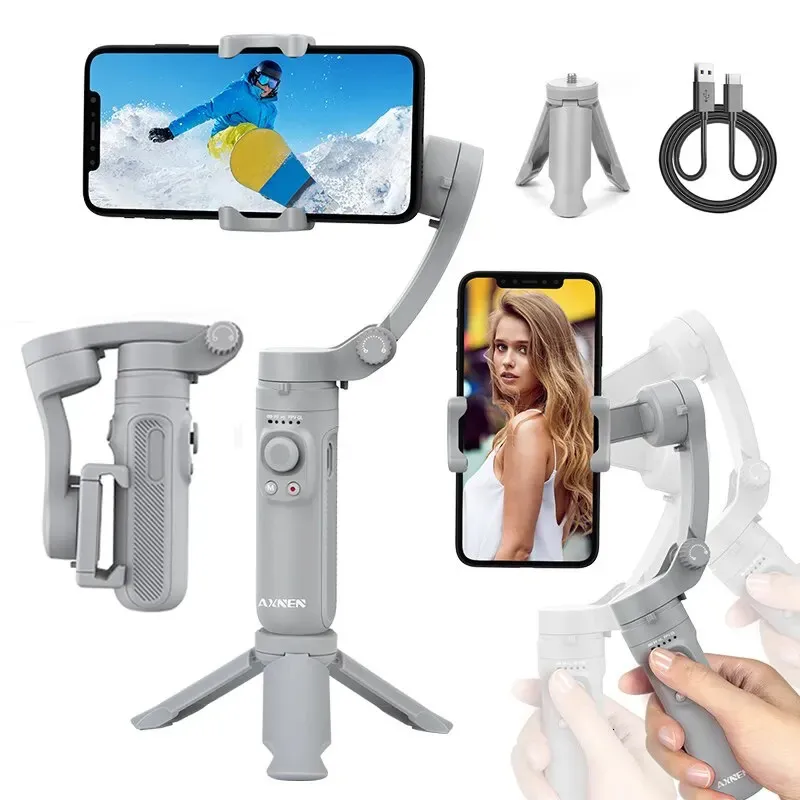
For the possible blurring of the picture, in the stage of shooting materials, ensure the stability of the equipment. For example, you can use auxiliary equipment such as tripods and stabilizers to avoid shaking and blurring of the picture due to hand tremors. At the same time, ensuring sufficient and uniform lighting in the shooting environment also helps improve picture clarity. If the generated video picture is not clear enough, during post-editing, you can use professional video editing software for sharpening processing. Some software also has intelligent optimization functions, which can improve picture quality to a certain extent.
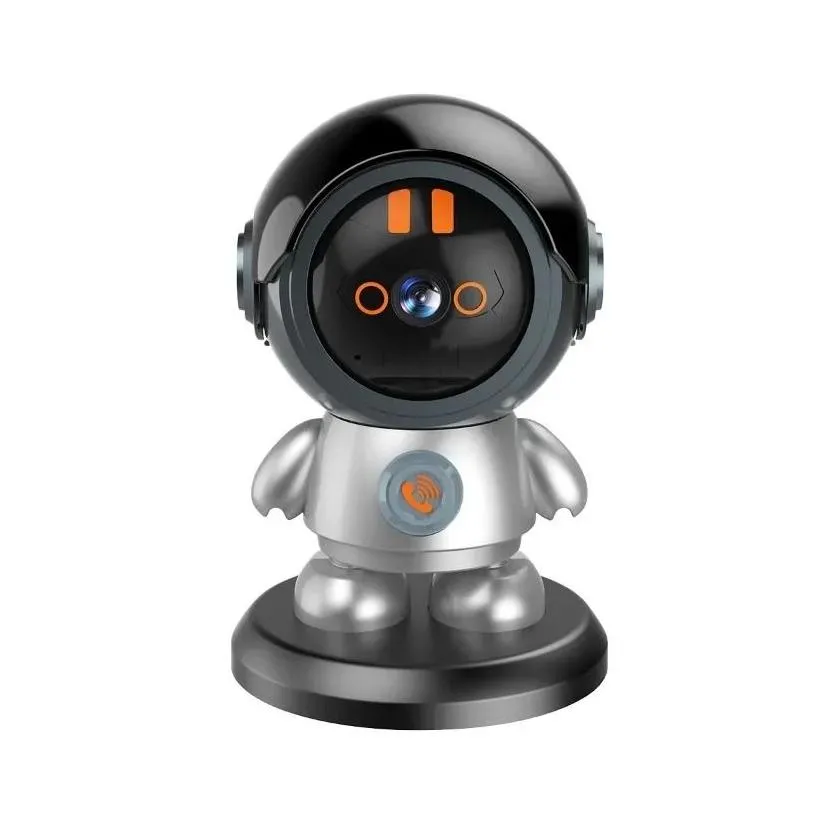
In terms of sound quality, if the audio is not clear enough and there are noise and other issues, first of all, when recording, try to choose a quiet environment to reduce external interfering sounds. You can also use an external microphone to improve the quality of sound collection (if conditions permit). And during post-editing, carefully adjust audio settings such as volume and noise reduction processing through audio editing tools to ensure that the audio is clear and clean and matches the video content. In addition, if background music needs to be added, pay attention to choosing an appropriate music style and volume to avoid situations where the background music is too loud and drowns out the main sound or the sound effects are too abrupt, making the audio effect of the entire video more harmonious and enhancing the audience's viewing experience. If there are many video materials, storage is also a problem. At this time, you can consider using a cloud storage camera to conveniently manage and save materials to ensure that the quality of materials is not affected by storage issues.
Sora Short Video Release and Promotion
I. Selecting Publishing Platforms
In the vibrant landscape of the United States' short video realm, diverse platforms emerge, each boasting its own inimitable characteristics, distinct audience groups, and specific video types. Creators, beware! You must carefully select the most fitting publishing platform, taking into account the style of your short videos and your targeted audience. Now, let's delve into some introductions to common short video platforms.
TikTok: TikTok, a highly popular short video platform in the United States, commands a massive user base. Daily active users? In the tens of millions! Spanning a wide range of age groups and regions, it's especially adored by teenagers and young adults. Known for its diverse and captivating content—dances, challenges, comedy skits, food, and travel. It offers an extensive array of filters and special effects, enhancing video creativity to the max. For instance, some Sora short videos with creative dance challenges or hilarious skits are bound to attract high attention on TikTok. Perfect for creators eager to showcase their creativity and engage with a young, dynamic audience.
Instagram Reels: A hit among social media users in the United States, Instagram Reels also has a large user base. Integrated within the Instagram app, it's a breeze for users to access. Reels? Short-form videos up to 60 seconds long. Renowned for its visual allure and fashion-oriented content. Creators can utilize music, filters, and effects to craft stylish videos. For example, Sora short videos related to fashion, beauty, or lifestyle are tailor-made for Instagram Reels. An excellent platform for creators aiming to build their brand and reach a fashion-conscious audience.
YouTube Shorts: Leveraging YouTube's extensive user base, YouTube Shorts holds significant potential. With billions of monthly active users worldwide, it offers a vast reach. Shorts are short videos up to 60 seconds long, designed for mobile viewing. The platform provides a variety of creative tools—filters, music, and text overlays. Creators can reach a global audience with diverse interests. Sora short videos of all types can surely find an audience on YouTube Shorts. Especially useful for creators who yearn to expand their reach beyond the United States and attract an international audience.
II. Publishing Timing and Title Tag Settings
Publishing timing: Choosing the right publishing time is crucial for maximizing the viewership of short videos. Different platforms have different patterns of user activity. For example, on TikTok, publishing during peak hours when users are most active can increase visibility. This might be in the evenings after school or work, around 6 - 8 pm. On weekends, afternoons and evenings are also popular times for users to browse short videos. For Instagram Reels, understanding the behavior of your target audience is important. If your audience is mainly young adults who are active on weekends, publishing on Saturday or Sunday afternoon might be a good choice. For YouTube Shorts, considering the global audience, you can analyze the viewing patterns of your target regions. For example, if you are targeting audiences in different time zones, you might need to schedule your posts accordingly to reach them when they are most likely to be online.
Title tag settings: An attention-grabbing title is essential to entice users to click and watch your video. The title should be concise, engaging, and relevant. Use keywords that are likely to attract your target audience. For example, if you have created a Sora short video about a DIY project, a title like "Awesome DIY with Sora! Must See!" can catch the attention of viewers interested in DIY content. Additionally, adding relevant tags is crucial for discoverability. On TikTok and Instagram Reels, use tags related to the theme, style, and elements of your video. For example, if it's a food video, use tags like #food, #SoraFood, #creativecooking. On YouTube Shorts, using tags like #Shorts and relevant keywords can help your video get discovered more easily. This allows the platform's algorithm to recommend your video to users who are interested in similar content.
Confusions about Using Video Production Tools
When using different professional video tools, various problems may arise. Here are some solutions and suggestions for common issues:
Software Compatibility Issues:
For example, Adobe Premiere Pro might show a system compatibility report after installation. Usually, it's because the computer's graphics card driver version is too old to meet the software's requirements. First, you can use tools like 360 Driver Master or Driver Talent to back up the current graphics card driver on your computer (so that you can roll back the version if there are stability issues after installing a new driver). Then, download the latest version from the official website of the graphics card driver. To determine the model of the driver program on your computer, you can right-click on the desktop and open the NVIDIA Control Panel to check. On the NVIDIA driver download page, choose the corresponding option according to the graphics card driver model and the operating system version number. Adobe Premiere Pro officially recommends that content creators choose the Studio Driver (SD). If you can't find the corresponding version, you can switch to the Game Ready Driver (GRD) and then search and download it. After downloading, double-click to run the installation. Then choose to restart the computer later and reopen the software to see if the compatibility issue is resolved.
For some video playback software, when playing video files in specific formats, you may encounter poor compatibility. For example, the HBPlayer from Hanbanggaoke is a playback software designed specifically for the Hanbanggaoke monitoring system. It can play video files in its specific format and has many practical functions. If you use video files in other non-corresponding formats, it won't play normally. In this case, you can consider using a format conversion tool to convert the video into a format supported by the player first, or choose a universal player that supports multiple video formats to play the file.
Problems with Not Understanding Function Operations:
Take CapCut as an example. Many beginners may not be clear about how to use some of its special features. For instance, the teleprompter function. When you can't remember the lines while shooting a video, you can input the lines into the teleprompter of the CapCut app, and then you can read them directly while looking at the screen during shooting, avoiding the problem of unfocused eyes that may affect the video effect. The screen recording function is very useful when making videos like game live recordings or software operation tutorials, and it's easy to operate. Just open the corresponding function and start recording. There's also the function of adding material packages with one click, which can make the editing operation more convenient. You can directly choose the materials provided by the software during the editing process. The one-click noise reduction function for sound can handle videos with noisy sound caused by shooting in non-professional environments well and improve the audio quality. The anti-shake processing function can optimize and modify videos that are easily shaky when shot with mobile phones to make the pictures more stable.
For professional video editing software like VEGAS Pro 18, it has over 30 services such as multiple nested timelines and HDR editing tools to meet editing needs. If you're not familiar with functions like planar motion tracking and color grading, on the one hand, you can check the help documents and tutorial sections provided by the software for learning. On the other hand, you can also search for relevant function usage tutorials online. Many professional video production forums and websites will have users sharing their usage experiences and tips to help you quickly master the operation methods of these complex functions, so that you can use the powerful functions of the software to produce more efficient and high-quality short videos.
Conclusion
The creation of short videos is always full of fun and challenges. The emergence of Sora has brought us many new possibilities. Here, I'd like to start an interesting topic for discussion, that is, "Which type of short videos do you think Sora is most suitable for creating?" Is it romantic love stories, science fiction adventures full of fantasy, or travel records showing local customs? I believe everyone has their own unique ideas and experiences in the process of using Sora to create short videos. Welcome to leave messages and share in the comment section. Let's spark more creative ideas in communication and interaction and jointly improve the level of short video creation.
