
Essential Tools for Video Creators: Efficient Storage and Connectivity Solutions
Upload time :January 15, 2025
Shares
Reads
In this super cool digital age, video creation is on an absolute wild ride of an unprecedented boom! You know what? The growing gang of video creators, from those super pro film and television producers to the fun-loving amateur self-media creators, is like a major stamp of approval for the awesomeness and importance of this medium. But hold on a sec! As video quality goes through the roof and creative content gets more and more amazing, creators are facing a bunch of challenges. And guess what? Storage and connection issues are being majorly showy and prominent. Next, let’s see the Efficient Storage and Connectivity Solutions for video creators!
Storage Solutions for Video Creators
Portable Hard Drives
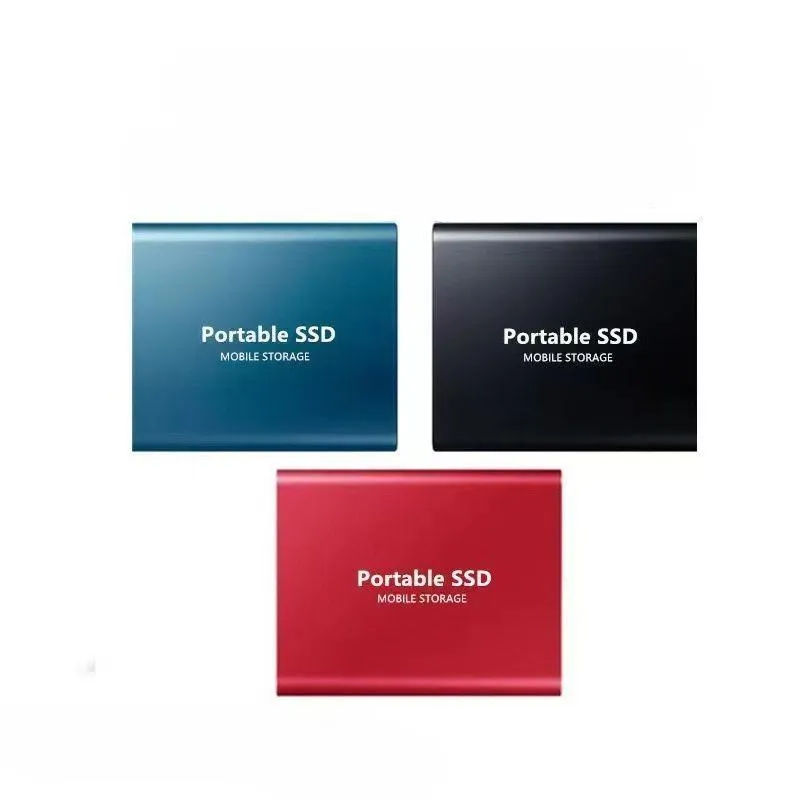
Portable hard drives as an important storage tool for video creators, have many advantages. Firstly, they have a large capacity and can meet the needs of creators to store a large number of high-definition video materials. Secondly, portability is another major feature. Creators can easily carry the hard drives to move between different creation sites, facilitating data backup and transmission at any time. Brands like ADATA's portable hard drives are highly favored in the market. The reason lies in that they have excellent anti-drop designs, which can effectively protect the data security inside the hard drives. Meanwhile, these hard drives can also reliably store a large amount of data and provide convenient backup functions for creators.
Solid State Drives
Solid state drives also have unique advantages in video storage. They have high-speed read and write performance and can quickly load and save video materials, greatly improving the creation efficiency. Solid state drives are a good choice for those video creators who have high requirements for read and write speeds,. In addition, the volume of solid state drives is relatively small, making them more convenient to carry and install.
Cloud Storage
In addition to traditional physical storage devices, cloud storage has gradually become an important choice for video creators. Cloud storage has unlimited storage capacity and can meet the growing storage needs of creators. Meanwhile, cloud storage also has data backup and synchronization functions. Creators can access their files anywhere any time, facilitating collaboration with team members. However, cloud storage also has some deficiencies, such as network speed limitations, data security and other issues. Creators need to carefully consider when choosing cloud storage services.
Connection Devices and Solutions for Video Creators
Wired Connection Devices
Wired connection methods still play an important role in video creation. Devices such as Ethernet cables, routers, and modems can offer stable network connections, ensuring the rapid transmission of video materials and the smooth progress of online collaboration. Wired connections feature high speed and stability and are suitable for large data transmission scenarios like high-definition video playback and online games. When connecting wired devices, creators need to pay attention to the correct connection methods and configurations to ensure the normal operation of the network.
Wireless Connection Devices
As mobile devices become more and more popular, the application of wireless connection devices in video creation is spreading like wildfire. Devices related to Wi-Fi technology are like magical wands, providing creators with flexible connection methods. Now creators can freely roam between different creation sites without being tied down by pesky cables. But hold on a second! Wireless connections aren't all rainbows and unicorns. There are some problems, too. For instance, signal interference and unstable network speeds can be real headaches. Creators need to be like smart network engineers and set up routers in a reasonable way. They also have to avoid signal interference and pick the right wireless connection devices to make sure the network is as stable as a rock.
Connection Problems and Solutions
Video creators often face some problems during the process of connecting to the network, such as being unable to connect to Wi-Fi, slow network speeds, and frequent disconnections.
| Problem | Solution |
| Unable to connect to Wi-Fi | Check whether the Wi-Fi password is correct; ensure that the device is within the Wi-Fi signal coverage area; try restarting the device and the router. |
| Slow network speed | Check whether the network connection is normal; close other applications that occupy network bandwidth; try changing the network connection method or upgrading network devices. |
| Frequent disconnections | Check whether the router settings are correct; ensure that the distance between the device and the router is appropriate; avoid signal interference; try updating the router firmware. |
Power Hubs
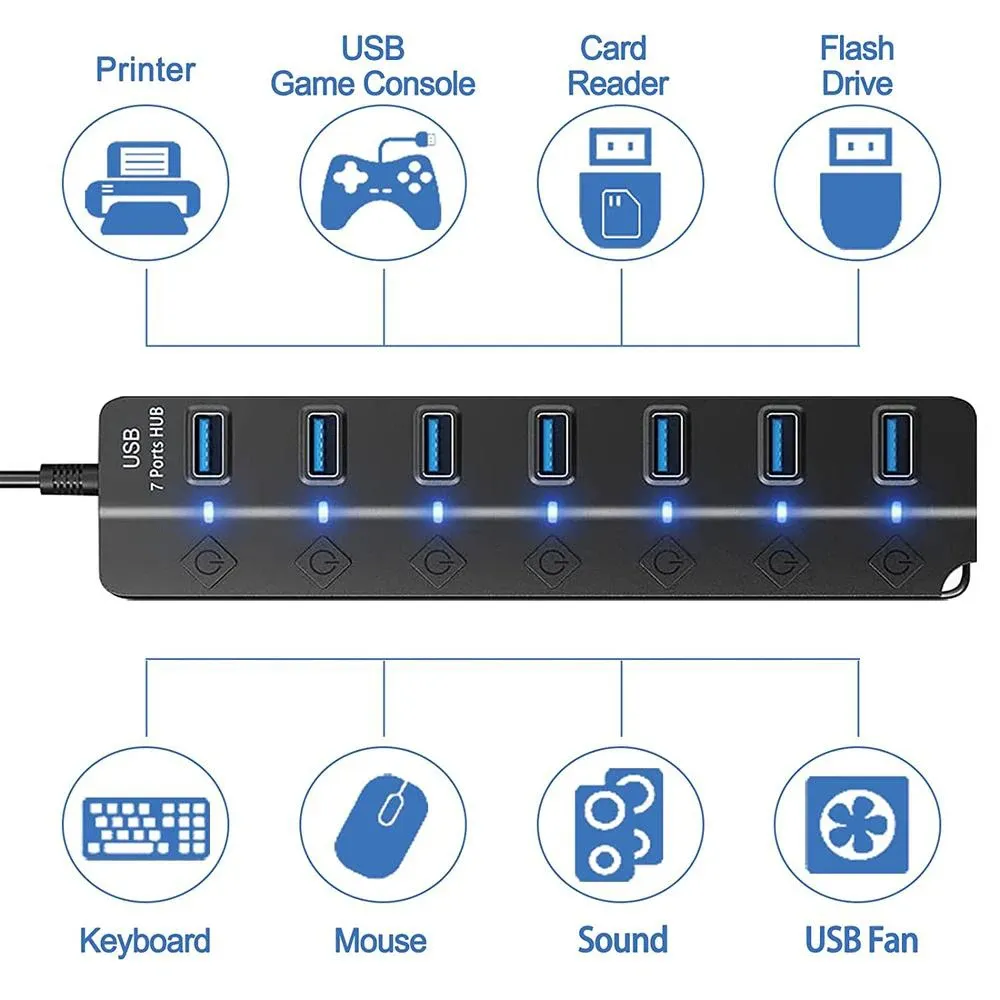
The Acasis USB3.0 HUB stands out. This thing offers multiple port options (7, 10, 13, and 20 ports). It's like a little angel, fulfilling the requirement for a bunch of devices like mice, keyboards, external hard drives, printers, and so on to connect simultaneously. Now there's no need to worry about insufficient computer interfaces anymore! It has a high transmission rate of 5Gbps. Data transfer is like riding a rocket, enabling rapid file sharing and synchronization among devices. For example, it allows a large number of high-definition materials to be quickly copied to external storage devices. The aluminum alloy casing is as solid as a rock and has excellent heat dissipation performance. It's like a super guard, ensuring durability and preventing overheating. If it overheats, the speed might slow down and the device might even get damaged. With it, stable operation can be guaranteed for a long time. For creative workers, it provides solid support in multi-device collaboration and efficient creation. It helps them centralize device management, optimize desktop layout, and improve creative efficiency. It's an ideal choice for scenarios like video editing and music production involving multiple devices.
Recommended Practical Tools for Video Creators
Comprehensive Performance Consideration
When choosing video creator tools, creators need to consider various factors comprehensively, such as storage capacity, read and write speeds, connection stability, and price. Different brands and types of storage and connection tools have different comprehensive performance in actual video creation. For example, some portable hard drives have relatively high read and write speeds and large capacities, but their prices are relatively high. While some solid state drives have faster read and write speeds, but their storage capacities are relatively small. Creators need to choose the tools that suit them according to their actual needs and budgets.
Matching with Usage Scenarios
Different video creation scenarios have different requirements for storage and connection tools. For example, when shooting outdoors, creators need to choose storage and connection devices with good portability, waterproof and dustproof features. While creating in an indoor studio, creators can choose storage devices with large capacities and fast read and write speeds and stable wired connection devices. In addition, when multiple people collaborate in creation, creators need to choose storage and connection tools that can facilitate data sharing and transmission.
Frequently Asked Questions (FAQ)
How long is the service life of storage devices?
The service life of storage devices is such an important question! Well, you see, the service life of storage devices depends on a whole bunch of factors! Things like usage frequency, environmental conditions, and brand quality all play a role. Generally speaking, portable hard drives and solid state drives can last around 3 to 5 years! And guess what? Creators can actually extend the service life of these storage devices by regularly backing up data, avoiding frequent plugging and unplugging, and paying attention to the heat dissipation. Isn't that amazing?
What is the impact of different file systems on video storage?
Different file systems can have a real impact on video storage. For instance, the NTFS file system is super compatible and stable under the Windows system. But beware, there might be compatibility issues under other operating systems. On the other hand, the exFAT file system has better cross-platform compatibility. However, there could be a risk of data loss in some cases. So, creators need to carefully choose the file system based on their usage needs and operating systems. It's crucial!
What are the methods to ensure the security of stored data?
Ensuring the security of stored data is essential. Creators can do several things. First off, regularly back up data! Back up those important files to multiple storage devices or even cloud storage services. That way, you won't lose your precious data. Another great method is to use encryption technology. Encrypt the data in your storage devices to keep it safe from illegal access. And don't forget to choose reliable storage devices. Look for ones with good brand quality and data protection features like anti-drop, waterproof, and dustproof. How awesome is that?
How to solve the compatibility problems of network connections?
Oh, compatibility problems of network connections can be a real headache. But don't worry! Creators can solve these issues. Check the network settings of your device first. Make sure things like the IP address, subnet mask, and gateway are all correct. Upgrade the device's driver program too. Keeping it up to date ensures compatibility between your device and the network. And if all else fails, consider replacing network connection devices like routers and network cards. That'll do the trick!
How to solve the conflicts when multiple devices are connected simultaneously?
When multiple devices are connected at the same time, conflicts can pop up. But fear not! Creators can handle this. Reasonably allocate IP addresses so that each device has a unique one. That'll avoid IP address conflicts. Limit the bandwidth usage of devices by setting it through the router. This ensures network stability. And close the network connections on devices that don't need the network. That'll reduce the network burden. It's a win-win!
How to optimize network settings to improve video transmission efficiency?
Optimizing network settings to improve video transmission efficiency is so important! Creators can take some great steps. Choose the appropriate network connection method based on your creative needs and network environment. Whether it's wired or wireless, make the right choice. Optimize router settings by setting the channel, frequency band, and encryption method properly. That'll improve the stability and transmission speed. And close unnecessary network services like file sharing and remote desktop. Reduce that network burden and enjoy faster video transmission!
In conclusion, efficient storage and connection solutions are essential weapons for video creators. By choosing appropriate storage devices and connection devices, creators can improve creation efficiency, ensure data security, and achieve better dissemination effects of their works. It is hoped that this article can provide useful references and help for the vast number of video creators.
Interaction
As a video creator who has been on countless shoots and projects, I've had my fair share of experiences with different portable hard drives. I remember one particular project where I was on a remote location shoot. My trusty [Brand Name] portable hard drive came in handy as it had ample storage space to hold all the high-definition footage we were capturing. It was also incredibly durable and survived a few accidental drops and bumps.
Now it's your turn! What's your favorite brand of portable hard drive and what experiences have led you to choose that brand? Have you had a situation where a particular hard drive saved the day or maybe let you down? Share your stories with us.
