
DIY Tips for Cleaning and Maintaining Your Cooler Fan
Upload time :November 23, 2023
Shares
Reads
If you're a cooler fan user, maintaining and cleaning your fan can help prolong its lifespan and keep it running efficiently. To clean your fan, you'll need a soft-bristled brush or compressed air canister to remove dust buildup, a microfiber cloth to wipe the outer casing, and a screwdriver to detach the fan blades. You should regularly clean the fan blades to prevent dust buildup, check the bearings and lubricate them if necessary, replace worn-out parts as needed, and use the fan in a well-ventilated area to prevent overheating. Keeping the fan away from moisture and direct sunlight is also important. Follow these steps for proper maintenance of your cooler fan to ensure that it remains a valuable asset during hot summer days.
Tools needed for cleaning cooler fans
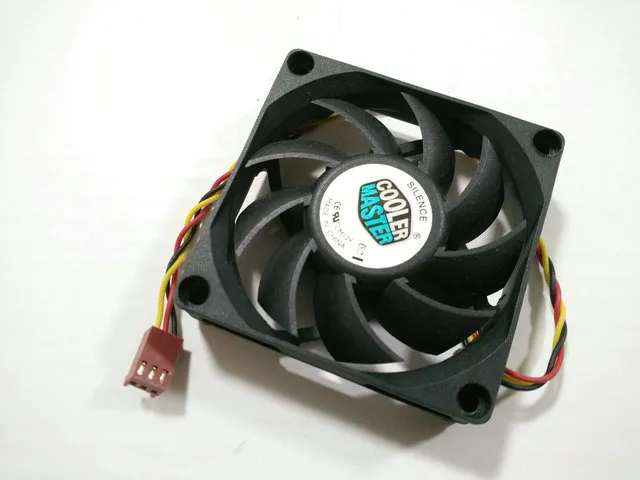
Cooler fans are an essential part of your computer, keeping it cool and running smoothly. However, over time, these fans can become clogged with dust and debris, reducing their efficiency and potentially causing damage to your machine. Regular maintenance is crucial to ensure that your cooler fan continues to work correctly, and effective cleaning requires the right tools. Here are some tips on how to clean your cooler fan effectively.
Tools Needed for Cleaning Cooler Fans:
Before you begin cleaning your cooler fan, make sure you have the right tools. You will need a soft-bristled brush, compressed air canister, microfiber cloth, and a screwdriver. The soft-bristled brush is used to loosen any dust or debris that has accumulated on the fan blades. The compressed air canister is then used to blow away any loose dirt, while the microfiber cloth is perfect for wiping down the fan blades and other components. Finally, a screwdriver may be necessary to remove the fan for more thorough cleaning.
Steps to Clean Your Cooler Fan:
The first step to cleaning your cooler fan is to turn off your computer and unplug it from the power source. If you need to remove the fan, use your screwdriver to unscrew any screws holding it in place. Once you have access to the fan, use the soft-bristled brush to gently remove any dust or debris that has accumulated on the blades. Make sure to brush in one direction to avoid damaging the fan's bearings.
Next, use the compressed air canister to blow away any loose dirt. Hold the canister about six inches away from the fan and use short bursts of air to avoid damaging any delicate parts. Be sure to angle the canister so that air is directed away from the fan motor. Then, use the microfiber cloth to wipe down the fan blades and any other components you can reach.
If you removed the fan, take the opportunity to clean the rest of your computer. Use compressed air to remove any dust or debris from the other internal components. Wipe down the inside of the computer case with a microfiber cloth.
When you're done cleaning, reattach the fan if necessary and plug your computer back in. Turn it on to ensure that everything is working correctly.
Benefits of Regular Cooler Fan Maintenance:
By following these steps, you can ensure that your cooler fan continues to work efficiently, keeping your computer cool and running smoothly. Regular maintenance can also extend the life of your computer by preventing overheating and other issues that can damage your machine. By investing a little time and effort into cleaning your cooler fan, you can save yourself a lot of headaches down the road.
Steps for cleaning and maintaining cooler fans
Step 1: Turn off and unplug the cooler fan
Before starting the cleaning process, ensure that the cooler fan is turned off and unplugged from the power source. This step is crucial to avoid any electrical hazards while cleaning the fan.
Step 2: Remove the outer casing and detach the fan blades
The next step is to remove the outer casing of the cooler fan. Depending on the model and brand of the cooler fan, the casing can either be twisted or unscrewed to remove it. Once the casing is removed, detach the fan blades from the motor carefully.
Step 3: Clean the fan blades with a soft-bristled brush or compressed air canister
The fan blades tend to accumulate dust and dirt over time, which reduces their efficiency and performance. To clean the fan blades, use a soft-bristled brush or a compressed air canister. Gently brush or blow away any dirt or dust particles from the blades. Ensure that you do not bend or damage the blades while cleaning them.
Step 4: Wipe the outer casing with a microfiber cloth
After cleaning the fan blades, wipe the outer casing with a microfiber cloth. Microfiber cloths are ideal for cleaning electronic devices as they are non-abrasive and do not leave any streaks or lint behind. If the casing is too dirty, you can use a damp cloth to wipe it down. However, make sure that the cloth is not soaked in water as it can damage the internal components of the cooler fan.
Step 5: Reassemble the cooler fan and plug it back in
Once you have cleaned the fan blades and outer casing, reassemble the cooler fan by attaching the fan blades to the motor and putting the outer casing back in place. Ensure that all the screws or twists are tightened correctly. Finally, plug the cooler fan back in and turn it on to confirm that it is working correctly.
Tips for proper maintenance of cooler fans
The first tip is to regularly clean the fan blades to prevent dust buildup. Dust accumulation on the blades can cause the fan to run less efficiently, increase noise levels and even lead to overheating. To clean the blades, unplug the fan and remove its front grill. Use a soft cloth or brush to gently wipe the blades, making sure not to bend them out of shape. For stubborn grime, use a mild detergent solution and dry the blades thoroughly before assembling the fan.
The second tip is to check the bearings and lubricate if necessary. Bearings allow the fan blades to rotate smoothly, so it's crucial to ensure that they are well maintained. Over time, the bearings may become worn out, leading to increased noise levels and reduced airflow. To check the bearings, turn off the power supply and gently spin the blades. If you hear any grinding or scraping sounds, it's likely that the bearings need lubrication. Use a few drops of oil or lubricant on each bearing with a dropper or syringe to keep them running smoothly.
The third tip is to replace worn-out parts as needed. Cooler fans have several components such as motors, capacitors, and switches that may wear out over time. Signs of damage include strange noises, decreased airflow, or the fan refusing to start altogether. If you notice any of these signs, it's best to consult a professional technician who can determine which part needs replacing.
The fourth tip is to use the cooler fan in a well-ventilated area to prevent overheating. Cooler fans work by drawing in warm air and expelling cool air. When used in a confined space, the fan may draw in its own exhaust, causing it to overheat and possibly even cause a fire hazard. Ensure that the fan is positioned in an open area with adequate space around it for proper ventilation.
Lastly, keep the cooler fan away from moisture and direct sunlight. Moisture can cause electrical shorts or rusting of metal parts, while direct sunlight can cause the plastic parts to fade or warp. It's best to store the fan in a dry location when not in use.
In conclusion, proper maintenance of cooler fans is essential for their longevity and efficient functioning. Regular cleaning, lubrication, and replacement of worn-out parts can help ensure that your cooler fan works optimally to provide you with relief from the heat. Following these tips can also help you avoid unnecessary expenses in repairs or replacements and keep your cooler fan running for years to come.
FAQ
Q1: How often should I clean my cooler fan?
A: It is recommended to clean your cooler fan at least once every three months. However, you may need to clean it more frequently if you live in a dusty environment or use your fan very frequently.
Q2: Can I use water to clean my cooler fan?
A: Yes, you can use water to clean your cooler fan. However, you should make sure that the fan is unplugged and never submerge it in water. Use a damp cloth or sponge to wipe down the exterior and interior of the fan.
Q3: How do I know if my cooler fan needs maintenance?
A: If you notice a decrease in airflow or an increase in noise from your cooler fan, it may require maintenance. You should also check for any signs of damage such as bent blades or loose screws.
Q4: What are some tips for maintaining my cooler fan?
A: Regular cleaning is the most important step in maintaining your cooler fan. Additionally, you should avoid placing your fan in direct sunlight or near sources of heat. It is also a good idea to lubricate the motor bearings once a year to keep the fan running smoothly.
Buy Now
See More: Wholesale Products
Recommended related content
Tips for Maintaining and Caring for Your Dancewear
DIY tips for creating personalized greeting cards for your wedding
How to Clean and Maintain Brown Carpet: A Comprehensive Guide
